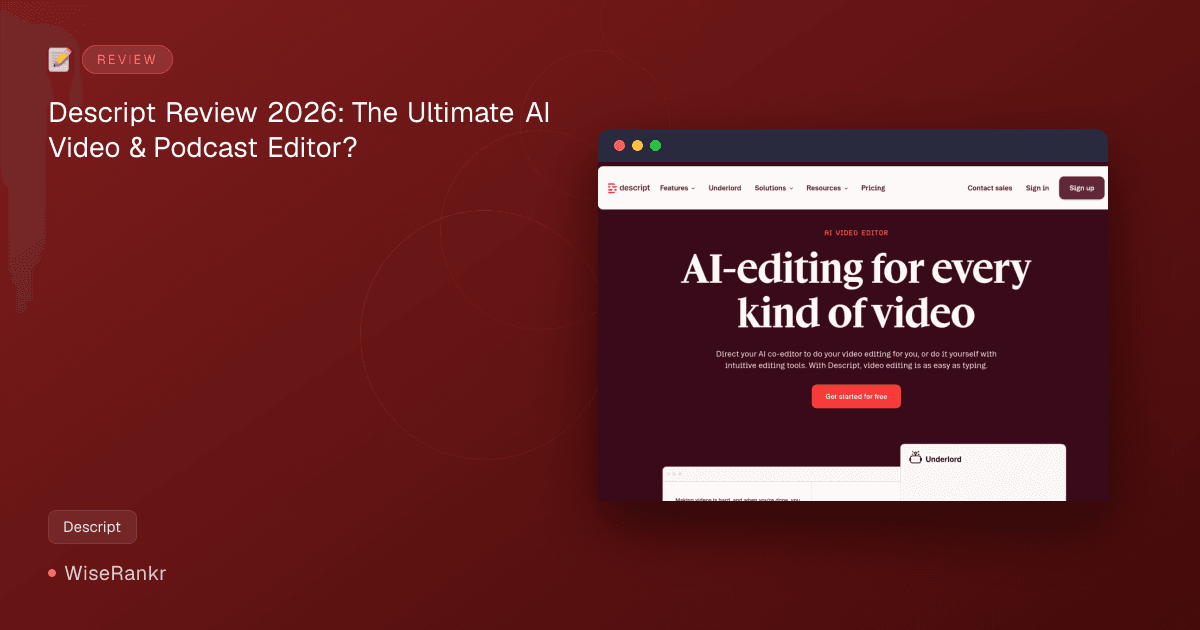

Are you spending countless hours editing videos and podcasts, meticulously removing filler words, and struggling to make your content shine? In 2026, the landscape of content creation demands efficiency and innovation. Enter Descript, an AI-powered audio and video editing tool that promises to transform your workflow by making editing as simple as typing.
WiseRankr.com dives deep into Descript to see if it truly lives up to its hype as a revolutionary "AI co-editor" for creators and businesses alike.
What is Descript? An Overview
Descript positions itself as an AI Video & Podcast Editor, offering a unique text-based approach to media editing. Instead of traditional waveform or timeline editing, Descript transcribes your audio and video, allowing you to cut, paste, and refine your content by simply manipulating the text. This innovative method aims to democratize professional-grade editing, making it accessible even to those without extensive technical skills.
Beyond text-based editing, Descript is packed with a suite of AI-driven features designed to automate tedious tasks, enhance audio and video quality, and expand your creative possibilities. From removing filler words to generating AI avatars, Descript aims to be a comprehensive solution for modern content creators.
Essential Features of Descript
Descript's power lies in its comprehensive set of AI-driven features. Here's a closer look at what makes it stand out:
AI-Powered Editing: Edit Like Text
- Transcription: Automatically transcribes audio and video files, creating an editable text document. This is the foundation of Descript's unique workflow.
- Text-Based Editing: Edit your video or audio by simply editing the transcribed text. Deleting words in the transcript removes them from the media, and rearranging text rearranges the corresponding clips.
- Underlord AI Co-editor: Direct your AI co-editor to perform editing tasks. The latest updates allow pinning specific parts of your project (files, scenes, timestamps, layers) directly to a request for more precise instructions. Chat history also persists for ongoing projects.
Audio & Video Enhancement
- Studio Sound: Descript's regenerative AI removes background noise and enhances voices, making recordings sound like they were captured in a professional studio, even if they weren't.
- Remove Filler Words: Instantly identify and cut out "ums," "uhs," "likes," and other common filler words, saving hours of manual editing.
- Eye Contact: This AI feature adjusts your gaze to appear as if you were looking directly at the camera, even if you were reading a script off-screen.
- Green Screen: Automatically scrub out your background and replace it with a new one, no physical green screen required.
Creative & Productivity Tools
- Captions: Add customizable captions with branding in just a few clicks, improving accessibility and engagement.
- Translation & Dubbing: Translate and dub your video content into over 30 languages using high-quality AI voices, reaching global audiences.
- Avatars: Choose from a gallery of avatars or create custom ones from a photo upload or text. Write a script and let the avatar do the talking, ideal for staying off-camera.
- Generate Video & Quick Design: Create B-roll tailored to your content or use Quick Design to automatically format and add B-roll with predefined styles or custom prompts.
- AI Speech with Custom Voice Clones: Generate AI speech and even create custom voice clones for consistent narration or overdubbing.
- Brand Studio: Create custom layouts with brand colors, fonts, and logos for consistent branding across all videos. Team-wide access ensures brand consistency for collaborative projects.
- Screen Recording: Record your screen, yourself, or both directly within Descript, with instant transcription for easy editing.

Descript Pricing Plans: Finding Your Fit
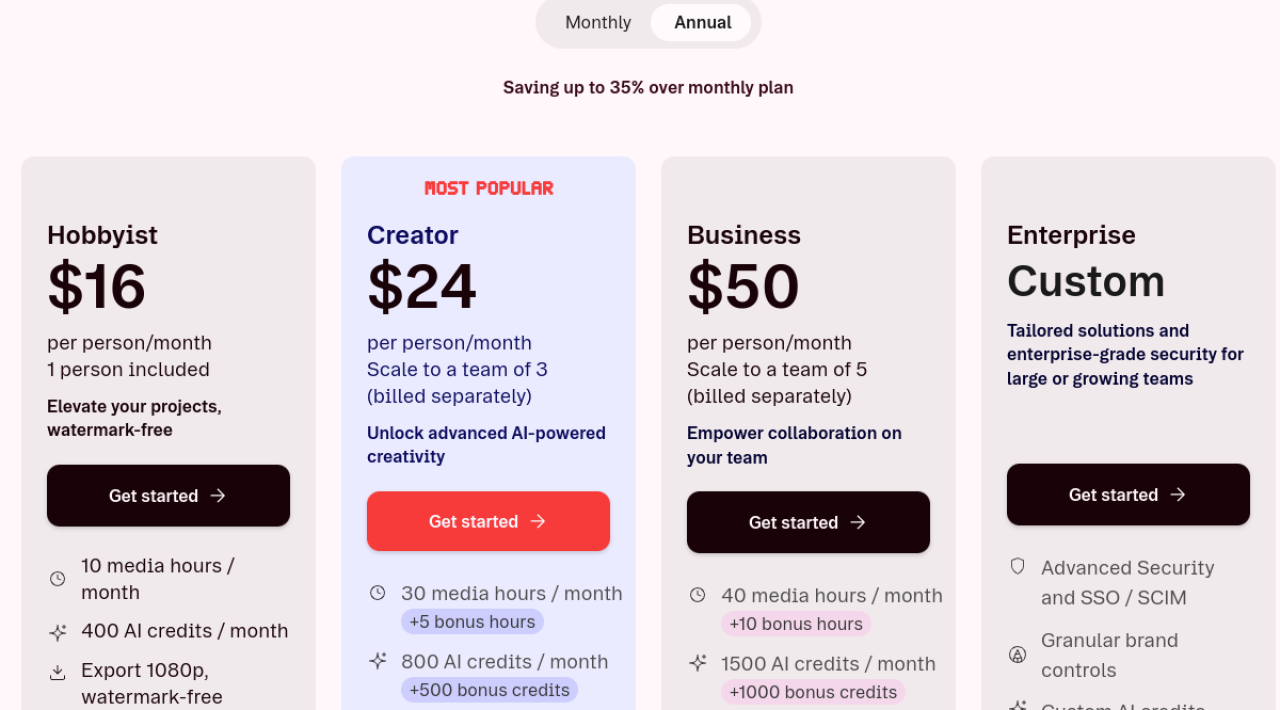
Descript offers a flexible pricing structure, including a free tier, to accommodate various user needs, from individual hobbyists to large enterprises. All paid plans offer significant savings when billed annually.
- Free:
- Free forever
- 60 minutes (1 hr) / month media minutes
- 25 languages multi-language transcription
- Unlimited projects
- 720p export (watermarked)
- Limited Underlord and AI Speech trial
- Hobbyist:
- $16/mo billed annually ($192/yr)
- 10 media hours / month
- 400 AI credits / month
- Export 1080p, watermark-free
- Access to Underlord, our AI video co-editor
- AI tools including Studio Sound, Remove Filler Words, Create Clips, and more
- AI Speech with custom voice clones and video regenerate
- Creator: (Most Popular)
- $24/mo billed annually ($288/yr)
- 30 media hours / month (+5 bonus hours)
- 800 AI credits / month (+500 bonus credits)
- Export 4k, watermark-free
- Full access to Underlord, our AI video co-editor and 20+ more AI tools
- Generate video with the latest AI models
- Unlimited access to royalty-free stock media library
- Access to top ups for more media hours and AI credits
- Business:
- $50/mo billed annually ($600/yr)
- 40 media hours / month (+10 bonus hours)
- 1500 AI credits / month (+1000 bonus credits)
- Team-wide access to Brand Studio
- Translate and dub video in 30+ languages with proofread
- Generate custom avatars from photo upload or text
- Priority support (with SLA)
- Access to top ups for more media hours and AI credits
- Enterprise:
- Custom pricing
- Tailored solutions and enterprise-grade security for large or growing teams
- Advanced Security and SSO / SCIM
- Granular brand controls
- Custom AI credits & media minutes
- Custom legal terms
Visit Descript.com for the most current pricing details and to compare features across plans.
User Reviews & Sentiment Analysis
Descript has garnered significant attention from the content creation community, and user reviews reflect a mix of enthusiasm for its innovative features and some frustrations with performance and pricing models.
The Good: Game-Changing Workflow
Users on G2 report an impressive 4.6 out of 5 stars, with many highlighting Descript's continuous feature development. Tom R., a verified user in IT, praises the addition of AI features for podcast editing. Many consider the text-based editing a "game-changer," simplifying complex tasks. The automated transcription service is frequently cited as fast and accurate, which is crucial for those on tight deadlines. Collaborative features like highlighting, commenting, and sharing also receive positive mentions, making it suitable for team environments.
Reddit threads suggest a generally positive sentiment, with approximately 60% positive feedback. The "text-based editing simplicity" is a recurring theme, along with the "filler word removal" feature, noted for its near 100% accuracy, saving users significant time.
The Bad: Performance & Credit Concerns
However, the praise is not universal. Trustpilot shows a more mixed bag with 3.2 out of 5 stars, and some critical feedback appears on G2, TrustRadius, and Product Hunt. Common complaints revolve around performance issues; Winnie L. on G2 reported losing three hours of work due to a crash and difficult user interface. Other users mention frequent bugs, crashes, and general instability, especially with more intensive AI features.
A significant point of contention, particularly on Reddit and Product Hunt, is the "expensive AI credits." Users performing frequent edits or utilizing premium AI features find their monthly credits depleting quickly, leading to unexpected costs. Mark M. Whelan on Product Hunt expressed frustration about the inability to fully test features without being charged, despite claims of free projects. Tech AI, also on Product Hunt, reported "massive bugs" with Overdub, weak voice clone quality, and app crashes with long scripts, alongside slow customer support.
Video compression problems, leading to "significant quality loss during export" and limited export control options, are another area where Descript could improve, according to Reddit users. Some users also expressed dissatisfaction with recent changes to functionality and the credit system.
Integrations
While the provided data doesn't explicitly list third-party integrations, Descript's workflow implies seamless import/export capabilities with standard audio and video formats. Its utility for product demos suggests compatibility with screen recording and presentation tools. For specific integration details, it's best to visit Descript.com.
Pros & Cons of Descript
Pros:
- Innovative Text-Based Editing: Revolutionizes media editing by making it as intuitive as editing a document.
- Powerful AI Features: Studio Sound, Filler Word Removal, Eye Contact, Green Screen, and AI Avatars significantly enhance productivity and quality.
- Comprehensive Toolkit: Offers recording, transcription, editing, and publishing all within one platform.
- Collaboration Features: Highlighting, commenting, and Brand Studio facilitate team workflows.
- Global Reach: AI translation and dubbing open up content to international audiences.
- Continuous Development: Users appreciate Descript's ongoing addition of new features and improvements.
Cons:
- Performance Issues: Some users report bugs, crashes, and general instability, particularly with intensive AI features.
- Steep Learning Curve for Advanced Features: While basic text-editing is easy, mastering all AI tools and advanced functionalities can take time.
- Expensive AI Credits: Monthly AI credit allowances can be restrictive for heavy users, potentially leading to additional costs.
- Export Quality Concerns: Reports of video compression issues and limited export controls exist.
- Customer Support: Some users have reported slow or unhelpful customer support responses, especially regarding complex technical issues.
- Resource Intensive: Running Descript, especially with AI features, can be demanding on system resources.
Who Is Descript For?
Descript is ideal for a broad range of content creators and businesses looking to streamline their audio and video production:
- Podcasters: Excellent for editing interviews, removing filler words, and enhancing audio quality.
- Video Content Creators (YouTube, TikTok, etc.): Simplifies editing, adding captions, and producing visually engaging content.
- Marketers & Sales Teams: Great for creating product demos, explainer videos, and repurposing content efficiently.
- Educators & Trainers: Can quickly produce instructional videos and presentations.
- Businesses & Enterprises: With its Brand Studio, collaboration features, and Enterprise plan, it supports team-based content creation and brand consistency.
- Anyone who wants to edit video like a document: Its core innovation targets users who find traditional video editing complex.
However, users who prioritize maximum control over video compression settings or those with very tight budgets for AI credits might need to consider their options carefully.
Alternatives to Descript
While Descript offers a unique text-based editing approach, several tools compete in specific areas:
- For Text-based Video Editing: Competitors like Reduct.Video and Riverside offer similar text-driven editing functionalities.
- For Transcription: Tools like Otter.ai and Maestra specialize in high-accuracy transcription.
- For Traditional Video Editing: Adobe Premiere Pro, DaVinci Resolve, and Final Cut Pro offer more robust, traditional timeline-based editing and advanced color grading/effects, though without Descript's AI-driven text editing.
It's important to note that few tools offer the same breadth of AI-powered features combined with text-based editing in a single package as Descript does.
The WiseRankr Verdict
Descript is undoubtedly a powerful and innovative tool that is reshaping how content creators approach audio and video editing. Its text-based interface is a genuine game-changer, making complex editing tasks surprisingly simple and accessible. The suite of AI features, from Studio Sound to Eye Contact and Filler Word Removal, genuinely enhances productivity and the final output quality.
That said, it's not without its drawbacks. The reported performance issues and the potential for AI credits to become a significant cost for heavy users are concerns that prospective users should weigh. While the "Creator" plan offers a good balance of features and media hours, enterprises might find the custom AI credit usage a point for negotiation.
For individuals and teams looking to significantly cut down editing time and leverage AI for high-quality audio and video content, Descript is an excellent choice. It truly excels in situations where efficient, polished communication is key, such as podcasting, marketing videos, and product demos. However, if you require pixel-perfect control over every aspect of video compression or frequently encounter app instability, you might want to explore alternatives or utilize the free tier extensively before committing.
Overall, Descript earns a strong recommendation for its innovative approach and powerful AI capabilities, despite some room for improvement in performance and credit management.
People Also Ask (FAQ)
Q: How does Descript's text-based editing work?
A: Descript automatically transcribes your audio or video into text. You then edit the media by simply editing the text document. Deleting words from the transcript removes them from the audio/video, and rearranging text rearranges the corresponding clips on the timeline.
Q: Can Descript really make my audio sound professional?
A: Yes, Descript's "Studio Sound" AI feature is designed to remove background noise and enhance voices, making recordings sound clearer and more professional, even if recorded in less-than-ideal environments.
Q: What are AI credits in Descript and how are they used?
A: AI credits are a currency within Descript used for advanced AI features like generating video, creating custom avatars from text, and potentially other intensive AI operations. The number of credits you receive depends on your pricing plan, and heavy use can deplete them quickly, requiring top-ups.
Q: Is Descript suitable for professional video editors?
A: Descript is highly suitable for professional content creators, podcasters, and marketers who prioritize efficiency and AI-driven enhancements. While it may not replace traditional NLEs (Non-Linear Editors) for complex visual effects or color grading, it excels at streamlining the core editing process for dialogue-heavy content and quick turnarounds.