
Prezi Review: Beyond the Slide Deck — A Deep Dive into Dynamic Presentations
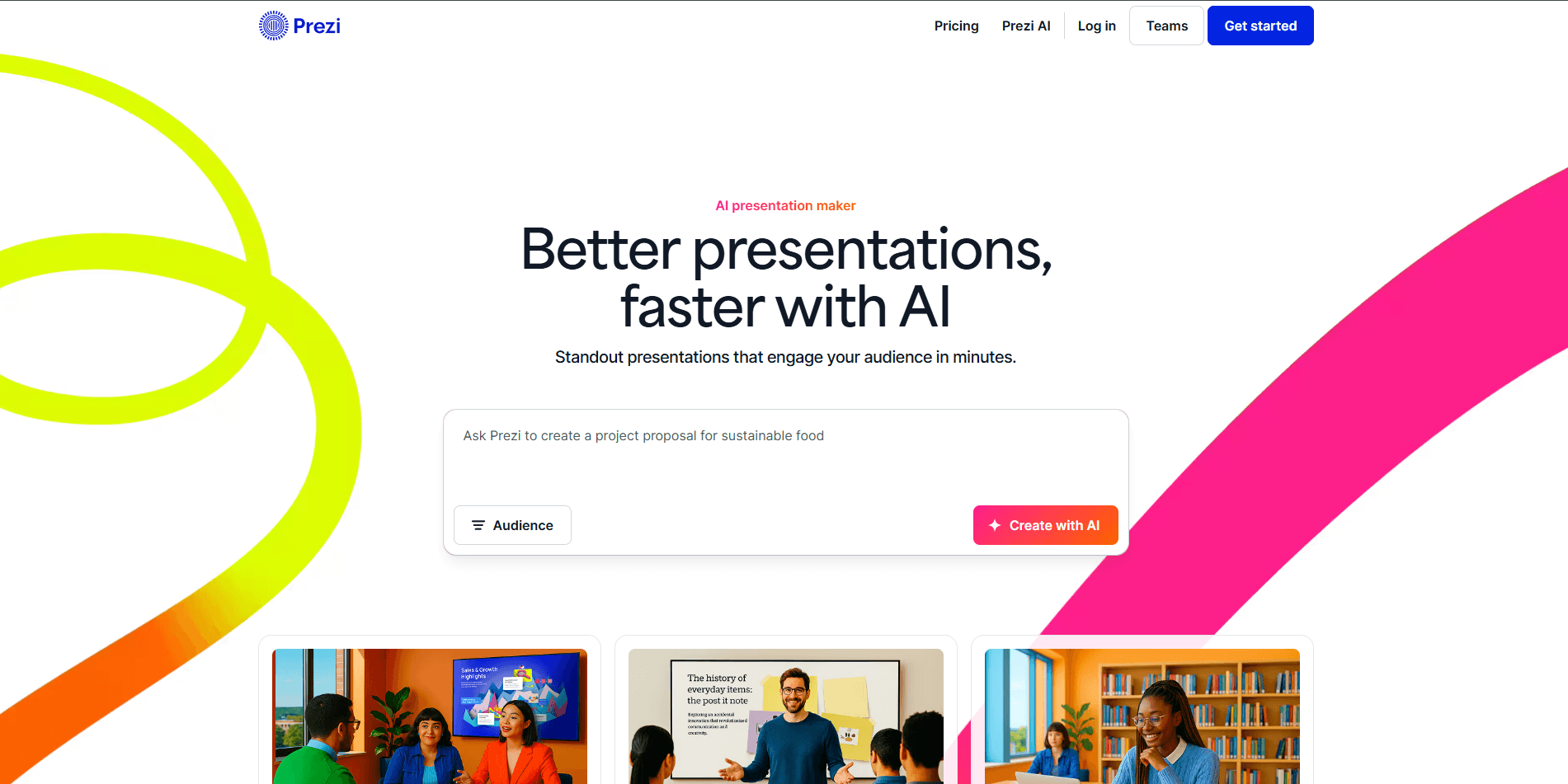
For decades, the standard slide-based presentation reigned supreme. Then came Prezi, a tool that challenged this paradigm by introducing a non-linear, zoomable canvas. At WiseRankr.com, we've tested countless presentation tools, and Prezi consistently stands out for its unique approach. This in-depth review will dissect Prezi's capabilities, scrutinize its pricing, evaluate its user experience, and help you determine if its dynamic canvas is the right fit for your communication needs.
Prezi Overview: The Zooming Canvas Reimagined
Prezi, first launched in 2009, pioneered the concept of a "zoomable user interface" (ZUI) for presentations. Unlike traditional tools like PowerPoint or Google Slides, Prezi doesn't rely on discrete slides. Instead, it offers an expansive, infinite canvas where content elements (text, images, videos, shapes) are arranged spatially and connected by a defined path. The presenter then navigates this path, zooming in and out, panning across the canvas to reveal information in a dynamic, storytelling fashion. This approach aims to foster a more engaging and memorable experience for the audience, breaking free from the often-monotonous slide-by-slide progression.
Over the years, Prezi has evolved beyond its original presentation tool, expanding into Prezi Video for virtual presentations with overlaid content and Prezi Design for creating infographics, reports, and social media visuals. This diversification reflects a strategic move to become a more comprehensive visual communication platform, leveraging its core ZUI technology across various content formats. Our focus here will primarily be on Prezi Present, its flagship presentation offering, with mentions of its sister products where relevant.
Key Features: Unpacking Prezi's Dynamic Toolkit
Prezi Present: The Infinite Canvas
The core of Prezi is its non-linear, zoomable canvas. Instead of individual slides, you arrange all your content – text, images, videos, shapes, and animations – on a single, vast workspace. The presentation flow is then defined by a series of "topics" and "subtopics," which act as visual waypoints. The software automatically generates smooth zoom and pan transitions between these points, creating a sense of movement and connection between ideas. This can be particularly effective for demonstrating relationships between concepts, hierarchical structures, or storytelling arcs.
- Infinite Canvas: Provides a boundless space to arrange content freely, fostering a non-linear narrative.
- Topics and Subtopics: These are the structural elements that guide your presentation. A "Topic" is a main idea, and "Subtopics" branch off from it. Prezi offers various topic layouts like "Planet" (circular), "Stack" (layered), and "Grid."
- Smart Structures: Prezi provides pre-designed topic structures that help organize content visually, such as Mind Map, Flowchart, or Timeline, which can be customized.
- Zoom and Pan Functionality: The signature feature, allowing presenters to seamlessly zoom into details or pan across the canvas to reveal the bigger picture.
- Animation Paths: While Prezi's primary "animation" is its zoom and pan, it also offers basic object animations like fade-in/out and fly-in, which can be applied to individual elements within a topic.
- Pre-designed Templates: A vast library of professionally designed templates categorized by industry (e.g., Business, Education, Marketing) or purpose (e.g., Pitch Deck, Report, Training). These templates are fully customizable, saving significant design time.
- Image and Icon Library: Access to a built-in library of stock images, icons, and GIFs, powered by integrations with services like Unsplash and The Noun Project, directly within the editor.
- Video Integration: Seamlessly embed YouTube videos, upload your own video files, or use Prezi Video for integrated live video presentations.
- Collaboration Features: Similar to Google Workspace, multiple users can edit a Prezi presentation simultaneously in real-time, complete with cursor tracking and commenting.
- Offline Access: For Prezi Plus and higher plans, presentations can be downloaded and presented offline using the Prezi Desktop application.
- Presenter View: A dual-screen mode for presenters, showing notes and upcoming topics on one screen while the audience sees the main presentation.
- Analytics (Prezi Business): Detailed insights into who viewed your presentation, how long they watched, which parts they focused on, and where they dropped off. This is invaluable for sales and marketing teams.
Prezi Video: The On-Screen Presenter
Prezi Video is a distinct product that allows presenters to appear alongside their content on screen during live video calls or recordings. This is a game-changer for remote communication, as it mimics the in-person experience of pointing to visuals while speaking. Instead of sharing a separate screen, your content (images, text, graphics) floats seamlessly next to or over your shoulder, creating a more engaging and personal connection with the audience.
- Live Integration: Works with popular video conferencing tools like Zoom, Microsoft Teams, Google Meet, Cisco Webex, and GoToMeeting.
- Content Overlay: Your content appears directly on the screen with you, not as a separate screen share.
- Templates for Video: Specific templates optimized for video presentations, allowing quick setup of visual aids.
- Recording Capabilities: Record your video presentations directly within Prezi Video for later sharing.
- Teleprompter: Display your script on-screen, visible only to you, ensuring smooth delivery.
- Virtual Backgrounds: Change your background for a more professional look.
Prezi Design: Visual Content Creation
Prezi Design (formerly Infogram) is a separate but integrated tool for creating static visual content like infographics, reports, social media graphics, dashboards, and posters. It leverages a drag-and-drop interface and a rich library of templates and data visualization elements.
- Drag-and-Drop Editor: Intuitive interface for easy content creation.
- Extensive Template Library: Thousands of templates for infographics, reports, social media, posters, and more.
- Data Visualization: Powerful tools for creating interactive charts, graphs, and maps. Connect data from Excel, Google Sheets, or JSON.
- Brand Kit: Maintain consistent branding with custom fonts, colors, and logos (Pro and Teams plans).
- Collaboration: Share designs and collaborate with team members.
- Export Options: Export designs as images (PNG, JPG), PDFs, or embed them interactively on websites.
Pricing: A Tiered Approach for Diverse Needs
Prezi offers a multi-tiered subscription model, catering to individuals, students, educators, and businesses. There is a limited free basic plan, but for serious use, a paid subscription is necessary to unlock crucial features like privacy controls, offline access, and advanced analytics. It's important to note that Prezi's pricing structure has evolved, and the listed prices are for annual billing (monthly billing is typically higher).
Individual Plans (Prezi Present Focused)
- Basic (Free):
- Create unlimited public presentations.
- Online editing only.
- No privacy controls (all presentations are public).
- Prezi watermark on presentations.
- Limited storage.
- Standard ($5/month, billed annually at $60):
- All Basic features.
- Private presentations.
- Prezi branding removed.
- Online editing and viewing.
- Plus ($15/month, billed annually at $180):
- All Standard features.
- Prezi Desktop app (for offline editing and presenting).
- PDF export.
- Advanced image editing.
- Presenter view.
- Premium support.
- Premium ($20/month, billed annually at $240):
- All Plus features.
- Advanced analytics (view tracking, time spent, etc.).
- Training and dedicated support.
- Prezi Video advanced features.
Education Plans (Prezi Edu)
Prezi offers special discounted plans for students and educators, typically requiring verification of academic status.
- Edu Standard ($3/month, billed annually at $36): Similar to Individual Standard, but with educational focus.
- Edu Plus ($7/month, billed annually at $84): Similar to Individual Plus, with offline access and PDF export.
Business & Teams Plans
These plans are designed for organizations requiring collaboration, advanced features, and centralized management. Pricing is custom and requires contacting sales, but generally includes all features from Premium, plus:
- Team Collaboration: Shared workspaces, folders, and brand kits.
- Advanced Analytics: Granular insights into presentation performance across teams.
- Training and Support: Dedicated account management and onboarding.
- Single Sign-On (SSO): For enterprise security.
- Prezi Design and Prezi Video Integration: Often bundled with full access to all Prezi products.
It's crucial for potential users to understand that the "Basic" free plan is extremely limited and primarily serves as a trial. For any serious or private use, a paid plan is essential. The jump from Standard to Plus, unlocking offline capabilities, is significant for many users.
Integrations: Connecting Prezi to Your Workflow
Prezi's integration ecosystem is designed to embed its dynamic content within existing workflows, particularly for video conferencing and content management.
- Video Conferencing Tools:
- Zoom: Prezi Video integrates directly as a virtual camera, allowing presenters to appear alongside their Prezi content.
- Microsoft Teams: Similar direct integration for Prezi Video.
- Google Meet: Supported for Prezi Video overlays.
- Cisco Webex: Compatible with Prezi Video.
- GoToMeeting: Works seamlessly with Prezi Video.
- Content Libraries:
- Unsplash: Direct access to a vast library of high-quality stock images within the Prezi editor.
- The Noun Project: Integrated for a wide selection of icons to enhance visual communication.
- Data Sources (Prezi Design):
- Excel/CSV: Upload data directly to create charts and graphs.
- Google Sheets: Connect live Google Sheets for dynamically updating data visualizations.
- JSON/APIs: For advanced data integration in Prezi Design.
- Learning Management Systems (LMS):
- Prezi presentations can be embedded into various LMS platforms (e.g., Canvas, Moodle, Blackboard) via embed codes, allowing students to view dynamic content within their course environment.
- Social Media & Web:
- Presentations and designs can be easily shared via direct links or embedded into websites, blogs, or social media platforms.
While Prezi doesn't boast the extensive array of direct integrations seen in some broader SaaS platforms (like hundreds of Zapier connections), its focus on core presentation and video conferencing integrations is robust and highly functional for its intended use cases. There isn't a publicly documented API for Prezi Present directly, but Prezi Design (formerly Infogram) does offer API capabilities for data integration.
Pros & Cons: A Balanced Perspective
Pros of Prezi
- Highly Engaging & Memorable: The non-linear, zoomable canvas creates a visually dynamic experience that can captivate audiences more effectively than static slides. It's excellent for storytelling and demonstrating relationships.
- Breaks Presentation Monotony: Escapes the "death by PowerPoint" syndrome, offering a fresh and modern alternative.
- Excellent for Visual Thinkers: Its canvas approach aligns well with mind-mapping and visual organization of ideas.
- Prezi Video is a Game-Changer for Remote Work: Appearing alongside your content during virtual meetings significantly boosts engagement and presence. It overcomes the "talking head" problem.
- Strong Collaboration Features: Real-time co-editing makes it easy for teams to work on presentations together, similar to Google Docs.
- Comprehensive Template Library: A wide range of professionally designed templates across Prezi Present, Video, and Design jumpstarts creation.
- Offline Presentation Capability (Plus plan and above): Essential for reliability when internet access is uncertain.
- Intuitive UI for Visual Layout: The drag-and-drop interface for arranging elements is generally easy to grasp.
- Prezi Design Enhances Versatility: The inclusion of a robust infographic and data visualization tool expands Prezi's utility beyond just presentations.
Cons of Prezi
- Steep Learning Curve for Non-Linear Thinking: While the UI is intuitive, mastering the non-linear storytelling approach takes practice. Users accustomed to slides might struggle initially with pacing and flow.
- Can Cause Motion Sickness: Excessive or poorly planned zooming and panning can disorient or even cause motion sickness in some audience members. This requires careful design.
- Limited Export Options: The core Prezi experience is designed for its own platform. While PDF export is available (Plus plan), converting to traditional slide formats (PPTX) is not straightforward or ideal, losing much of Prezi's unique dynamism.
- Requires a Paid Plan for Privacy and Key Features: The free tier is largely a public demo. Private presentations, offline access, and branding removal require a subscription.
- Performance Can Be Resource-Intensive: Complex Prezi presentations with many high-resolution images or videos can be demanding on older computers or slower internet connections, potentially leading to lag.
- Less Granular Control Over Animations: While it offers basic animations, it lacks the detailed, custom animation paths and triggers found in tools like PowerPoint or Keynote.
- Not Ideal for Detailed Data-Heavy Slides: While Prezi Design handles data visualization well, embedding dense tables or complex charts directly into a dynamic Prezi Present presentation can be challenging to make legible during zooms.
- No Direct PowerPoint/Keynote Import/Export: There's no seamless way to convert existing slide decks into Prezi presentations or vice-versa without significant re-creation.
Who Is It For? Practical Use Cases
Prezi isn't for everyone, but it excels in specific scenarios:
- Educators and Students: For creating engaging lectures, project presentations, mind maps, and study guides. An education plan makes it affordable.
- Sales and Marketing Professionals: To deliver dynamic pitch decks, product demonstrations, or marketing reports that stand out. The analytics feature in the Premium plan is particularly valuable for tracking engagement. A marketing team of 5 would benefit significantly from Prezi Business for consistent branding, collaborative content creation, and performance tracking of their outreach presentations.
- Trainers and Presenters: For workshops, onboarding sessions, or conference talks where a memorable, interactive experience is paramount.
- Storytellers and Creatives: Individuals who want to present concepts in a narrative, interconnected way, rather than a linear list.
- Remote Teams Leveraging Prezi Video: For anyone conducting frequent virtual meetings, webinars, or online courses, Prezi Video transforms the presenter's presence, making interactions feel more personal and professional. A remote HR team onboarding new hires could use Prezi Video to deliver engaging, personalized welcome messages and training modules.
- Businesses Needing Visual Data Reports: With Prezi Design, companies can create compelling infographics and interactive reports that go beyond static charts.
It's less ideal for situations requiring extremely detailed, text-heavy statistical reports or where strict adherence to a traditional slide format is mandated.
Alternatives: How Prezi Stacks Up
Prezi operates in a competitive landscape, often challenging the established giants. Here's how it compares to some key alternatives:
- Microsoft PowerPoint: The traditional market leader. PowerPoint is excellent for linear presentations, offers granular control over animations, and has deep integration with the Microsoft Office suite. However, it can feel static and less engaging compared to Prezi's dynamic canvas. Prezi offers a fresh, modern alternative to PowerPoint's often-criticized "slide-by-slide" format.
- Google Slides: A web-based, collaborative alternative to PowerPoint, offering strong real-time collaboration. It's free and highly accessible. Like PowerPoint, it's slide-based, lacking Prezi's signature zoomable canvas. Prezi offers a more visually engaging and non-linear storytelling approach, while Google Slides prioritizes simplicity and widespread accessibility.
- Keynote (Apple): Known for its beautiful design templates and smooth animations, Keynote is a premium slide-based presentation tool for Apple users. It offers a more polished aesthetic than PowerPoint but still adheres to a linear slide structure. Prezi provides a fundamentally different presentation experience compared to Keynote's refined slide-based approach.
- Canva: A popular design tool that includes presentation capabilities. Canva excels at graphic design and offers a vast library of templates for visually appealing slides, infographics, and social media content. While it can create visually rich presentations, it's primarily slide-based and doesn't offer Prezi's unique zoomable canvas or the live video overlay of Prezi Video. Prezi Design is a direct competitor to Canva for static visual content, while Prezi Present and Video offer distinct presentation modes.
- Beautiful.ai: Focuses on intelligent design, using AI to automatically format slides to look professional. It's slide-based and aims to simplify design, but doesn't offer the non-linear canvas.
- Miro/Mural: These are online whiteboarding tools that offer infinite canvases, much like Prezi. While they can be used for presentations, their primary focus is collaboration, brainstorming, and visual organization rather than structured presentation delivery. Prezi is purpose-built for presenting, with defined paths and transitions, which Miro/Mural lack.
Prezi carved out its niche by offering a fundamentally different way to present. Its closest direct competitor in terms of philosophy would be other ZUI tools, though few have achieved Prezi's level of polish and feature set. Its strength lies in its ability to break free from the traditional slide deck, especially with the added power of Prezi Video.
The User Experience: Onboarding, UI/UX, and Learning Curve
The onboarding process for Prezi is straightforward. Upon signing up, users are guided through an interactive tutorial that introduces the core concepts of topics, subtopics, and the zoomable canvas. This initial guidance is helpful, as the non-linear interface can be a departure from what many users are accustomed to.
The UI/UX of Prezi is generally clean and modern. The web-based editor is responsive, and the drag-and-drop functionality for adding and arranging elements is intuitive. The canvas itself is smooth to navigate, though performance can vary based on the complexity of the presentation and the user's internet connection/hardware. Prezi has done a good job of refining its interface over the years, making it less cluttered than older versions.
However, the learning curve can be substantial, not necessarily in terms of using the tools, but in mastering the *art* of creating effective Prezi presentations. It's easy to over-zoom, over-pan, or create a chaotic "mind-map" that disorients the audience. The challenge isn't just knowing *how* to add text; it's knowing *where* to place it on the vast canvas and *how* to connect it logically with other elements to tell a compelling story without inducing motion sickness. The pre-designed templates are invaluable here, as they provide a solid starting point for good design principles.
Prezi Video, while a separate product, integrates well and offers a relatively easy setup. The ability to use it as a virtual camera in major conferencing tools simplifies its adoption. Prezi Design also has a user-friendly drag-and-drop interface, making complex data visualizations accessible to non-designers.
Verdict: Is Prezi Worth It?
Prezi is not just a presentation tool; it's a philosophy for visual communication. It challenges the status quo of linear slide decks and offers a refreshing, dynamic alternative. For those who want to captivate an audience, tell a compelling story, or illustrate complex relationships between ideas, Prezi can be incredibly powerful.
The addition of Prezi Video has been a significant enhancement, making virtual presentations far more engaging and personal, a crucial advantage in the age of remote work. Prezi Design further broadens its appeal, offering robust tools for infographics and data visualization.
However, potential users must acknowledge the learning curve associated with designing for a non-linear canvas. A poorly designed Prezi can be more distracting than a traditional slide deck. The investment in a paid plan is also necessary for privacy and offline capabilities, which are essential for professional use.
If you're tired of static slides, aim to create memorable and highly engaging presentations, and are willing to invest time in mastering its unique storytelling approach, Prezi is an excellent choice. It’s particularly valuable for educators, sales teams, and anyone regularly presenting in a virtual environment. For those who prioritize simplicity, a purely linear flow, or extensive animation control, traditional slide-based tools might still be a better fit. But for dynamic, impactful visual storytelling, Prezi remains a leader in its class.