The software development landscape is undergoing a monumental shift, powered by advanced artificial intelligence. In 2026, AI coding tools are no longer a novelty; they are essential collaborators, transforming how developers approach every stage of the software development lifecycle. From generating boilerplate code and debugging complex issues to refactoring entire codebases and deploying applications, AI is dramatically improving productivity and accelerating innovation.
This roundup from WiseRankr.com dives deep into the best AI coding tools available, evaluating their core functionalities, pricing structures, and real-world user experiences. We'll help you navigate the crowded market to find the AI companion that best fits your workflow, whether you're an individual developer, a startup, or an enterprise team.
Ultimate AI Coding Tools: A 2026 Overview
The following tools represent the forefront of AI-powered development, each bringing unique strengths to the table.
GitHub Copilot: Your AI Pair Programmer

GitHub Copilot, an AI pair programmer by GitHub and OpenAI, offers contextual assistance across the entire software development lifecycle. It integrates directly into popular IDEs like VS Code and Visual Studio, providing inline code suggestions, chat assistance, code explanations, and documentation answers. Copilot is designed to keep developers in their flow, working where they do, from chat apps to custom MCP servers.
A key differentiator is its ability to go beyond one-size-fits-all, allowing users to choose from leading LLMs optimized for speed, accuracy, or cost. It also supports custom agents and third-party integrations, enabling a highly customizable AI-accelerated workflow. Users on G2 consistently report strong ratings for productivity boosts and code suggestions, with 87% likeliness to recommend on SoftwareReviews. Complaints often revolve around rate limits and confusing usage metering, though a new usage-based billing model is rolling out in June 2026.
Pricing:
- Free: $0/month. Includes 50 agent mode or chat requests, 2,000 completions, access to Haiku 4.5, GPT-5 mini, and Copilot CLI. (Verified students get unlimited completions and premium model access).
- Pro: $10/user/month. Includes Free features plus Copilot cloud agent, code review, Claude and Codex on GitHub and VS Code, 300 premium requests, unlimited agent mode and chats with GPT-5 mini, unlimited inline suggestions, and access to models from Anthropic, Google, OpenAI, and more. (Temporarily unavailable for new sign-ups as of April 20, 2026).
- Pro+: $39/user/month. Includes Pro features plus access to all models (including Claude Opus 4.7 and more), and 1,500 premium requests per month. (Temporarily unavailable for new sign-ups as of April 20, 2026).
- Business: $19/user/month. For organizations, includes team management, IP indemnity, and policy controls.
- Enterprise: $39/user/month. For enterprises, includes codebase indexing, custom models, audit logs, and SSO.
Best for: Individual developers and small to medium teams already integrated into the GitHub ecosystem and looking for a powerful, context-aware AI assistant within their IDE. Its multi-LLM support offers flexibility for varying needs.
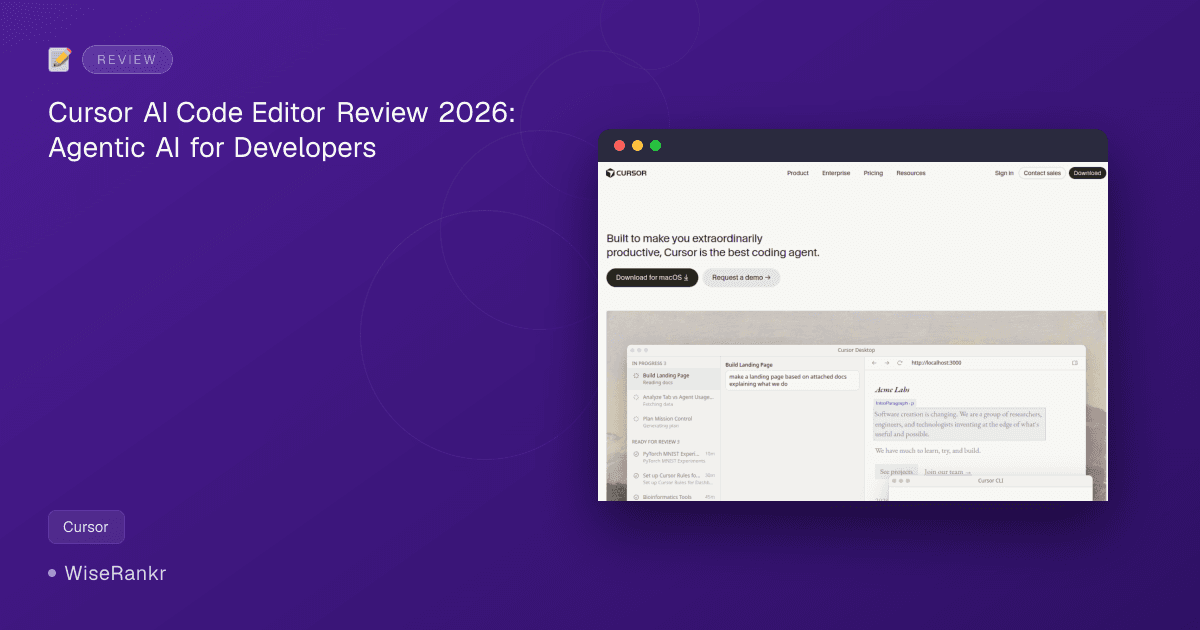
Cursor: The AI-Native Code Editor

Cursor is an AI-powered IDE built on a fork of VS Code, specifically designed for complex, multi-file projects and agentic workflows. It excels at understanding your entire codebase, providing context-aware suggestions, and facilitating multi-file changes. Cursor aims to make developers extraordinarily productive by delegating implementation tasks to AI agents.
Users praise Cursor's ability to integrate with existing VS Code plugins and its "Agent mode" for handling multi-file refactors. G2 reviews average 4.5/5 stars, with users noting it "accelerates our coding process" and offers an "enhanced alternative to GitHub Copilot." However, Reddit threads reveal concerns about recent slowdowns in development, buggy performance, high costs for usage limits, and a perceived decline in AI intelligence. The tool offers multi-model support, including OpenAI, Anthropic, Gemini, and xAI.
Pricing (Monthly):
- Hobby: Free. Includes limited Agent requests and limited Tab completions.
- Pro: $20/month. Includes extended Agent limits, access to frontier models, MCPs, skills, hooks, and cloud agents.
- Pro+: $60/month. Includes Pro features plus 3x usage on all OpenAI, Claude, and Gemini models.
- Ultra: $200/month. Includes Pro features plus 20x usage on all OpenAI, Claude, and Gemini models, and priority access to new features.
- Teams: $40/user/month. Includes Pro features plus shared chats, commands, rules, centralized billing, usage analytics, privacy mode controls, role-based access control, and SAML/OIDC SSO.
- Enterprise: Custom pricing. Includes pooled usage, invoice/PO billing, SCIM seat management, AI code tracking API, audit logs, granular admin and model controls, and priority support.
- Bugbot Pro: $40/user/month. Includes reviews on up to 200 PRs/month and access to Bugbot rules.
Best for: Developers who prefer a dedicated AI-native IDE experience based on VS Code, particularly those working on large, complex codebases requiring deep context understanding and multi-file changes. Be aware of potential performance and cost concerns reported by some users.
Replit: Build Apps with AI

Replit is a browser-based IDE with an integrated AI agent, Agent 4, designed to turn ideas into apps quickly, often without direct coding. It streamlines the development process by handling setup, asking clarifying questions, and generating production-ready code. Replit's "Infinite Canvas" allows for visual design and tweaking, with "Parallel Agents" working together on tasks like authentication, databases, and design.
Replit positions itself as a full-stack solution for building scalable apps, emphasizing accessibility for users regardless of technical background. Trustpilot reviews average 3.3/5, with users praising its ease of use for prototyping and learning, but criticizing issues with app publishing, export, and customer support. Reddit users frequently express concerns over "out of control" pricing for the AI Agent, reporting costly errors and the agent making unwanted changes. Many consider it "not production ready" for serious applications.
Pricing:
- Starter: Free. Includes free daily Agent credits, free credits for AI integrations, ability to publish 1 app, and limited Agent intelligence.
- Replit Core: $20/month billed annually ($25/month). For personal projects & simple apps. Includes $25 of monthly credits, up to 5 collaborators, unlimited workspaces, autonomous long builds, and removal of "Made with Replit" badge.
- Replit Pro: $95/month billed annually ($100/month). For commercial and professional builds. Includes everything in Core, plus $100 monthly credits, up to 15 collaborators, up to 50 viewers, access to the most powerful models, private deployments, database restore up to 28 days, premium support, and exclusive community access.
- Enterprise: Custom. Includes all Pro features plus custom seat limits, SSO/SAML, advanced privacy controls, design system support, data warehouse connections, custom groups, dedicated support, single-tenant environments, region selection, static outbound IPs, and VPC peering.
Best for: Beginners, educators, and those looking to rapidly prototype or build simple web and mobile applications with a strong emphasis on AI-driven development. Teams needing quick iteration on ideas or those seeking an accessible, browser-based development environment may also benefit. Users should carefully monitor AI agent usage to avoid unexpected costs.
v0 by Vercel: AI UI Builder

v0 by Vercel is an AI UI builder focused on generating production-ready React components with Tailwind CSS and shadcn/ui from natural language descriptions. It allows developers to prompt, build, and publish applications or components, providing a breakdown of the UI before writing code for easy iteration. v0 integrates directly with GitHub for pushing code to repositories and supports deployment to Vercel.
The tool includes a "Design Mode" for visual editing and fine-tuning, and is "Agentic by default," meaning it plans, creates tasks, and connects to databases as it builds. While early users praised its ability to generate code quickly, recent Reddit sentiment highlights significant dissatisfaction with new pricing models and a perceived decline in AI output quality. Users report the AI making mistakes, getting stuck in "bug loops," and the tool becoming "too expensive" for the quality provided.
Pricing (Credit-based, monthly):
- Free: $0/month. Includes $5 of monthly credits and a 7 message/day limit.
- Team: $30/user/month. Includes $30 of monthly credits per user, $2 of free daily credits on login per user, and a shared credit pool.
- Business: $100/user/month. Includes $30 of monthly credits per user, $2 of free daily credits on login per user, and training opt-out by default.
- Enterprise: Custom pricing. Includes features like data never used for training, SAML SSO, RBAC, priority access, and guaranteed customer support SLAs.
Model Pricing (per 1 million tokens):
- v0 Mini: Input $1, Cache Write $1.25, Cache Read $0.10, Output $5
- v0 Pro: Input $3, Cache Write $3.75, Cache Read $0.30, Output $15
- v0 Max: Input $5, Cache Write $6.25, Cache Read $0.50, Output $25
- v0 Max Fast: Max intelligence with 2.5x faster output speed. Pricing not fully detailed in provided data, visit v0.dev for details.
Best for: Frontend developers and designers working within the Vercel ecosystem who need to rapidly prototype and generate React UI components with Tailwind CSS. It's particularly useful for quickly iterating on design ideas and integrating directly into Vercel deployments. However, users should be cautious of the credit-based pricing and recent reports of declining AI quality and cost-effectiveness.
Windsurf: The Agentic IDE

Windsurf is an AI-powered code editor and assistant, now developed by Cognition AI, designed to enhance developer productivity through agentic AI. Its core features include Cascade, which offers deep codebase understanding and real-time awareness, and Devin, an autonomous cloud agent for delegating complex tasks like debugging and testing. Windsurf emphasizes maintaining a "flow state" for developers with features like "Cascade memory" to save project context across sessions.
Users report increased efficiency, with some noting a 10% productivity boost for engineers. Gartner Peer Insights users praise its smart AI assistance and context-aware suggestions. However, recent Trustpilot reviews show significant dissatisfaction, primarily due to new pricing model changes that users find "more restrictive, more stressful, less predictable." Credits are reported to drain quickly, leading to frustration and some users considering alternatives.
Pricing:
- Free: $0/month. Includes Light usage allowance (refreshes daily & weekly), previews, and deploys.
- Pro: $20/month. Includes Standard usage allowance (at API price), unlimited previews and deploys, all premium models, Fast Context, and SWE-1.5 model.
- Max: $200/month. Includes Heavy usage allowance (at API price), unlimited previews and deploys, all premium models, Fast Context, SWE-1.5 model, and Devin Cloud sessions for background development.
- Teams: $40/user/month. Includes Standard usage allowance (at API price), unlimited previews and deploys, all premium models, Fast Context, SWE-1.5 model, Devin Cloud sessions, centralized billing, and admin dashboard with analytics.
- Enterprise: Custom pricing. Includes all Teams features plus priority support, knowledge base, SSO + Access control features, RBAC, volume-based discounts, hybrid deployment option, and account management.
Best for: Developers seeking an advanced AI-native IDE with autonomous agents (Devin) capable of handling complex tasks in the background, especially those who value deep codebase understanding and persistent context. Users should carefully evaluate the new credit-based pricing model to ensure it aligns with their usage patterns and budget.
Amazon Q Developer: AWS-Native AI Assistant

Amazon Q Developer is AWS's generative AI-powered assistant, deeply integrated into the AWS ecosystem. It provides AI-powered suggestions, code generation, troubleshooting, and refactoring capabilities, personalized to your AWS account context, open-source patterns, and AWS documentation. It's available as plugins for popular IDEs like JetBrains, VS Code, and Visual Studio, as well as a command-line interface.
Amazon Q Developer excels in AWS-specific tasks, such as generating CloudFormation templates and IAM policies. SoftwareReviews gives it an 8.5/10 composite score, with 95% planning to renew. Reviewers highlight its "unmatched AWS service integration" and ability to understand complex AWS services. However, some Gartner Peer Insights users note that for general-purpose code completion and Q&A, it "lags behind Claude and OpenAI" though it offers better latency. The user interface is also cited as not very intuitive, and it can lose context memory.
Pricing:
- Free Tier: $0/month. Includes limited agentic requests per month, access to latest Claude models, and use in the IDE or CLI.
- Pro Tier: $19/month per user. Includes everything in the Free tier, with increased limits of agentic requests and increased limits for Java and .NET.
Best for: Developers, DevOps engineers, and teams heavily invested in the AWS ecosystem. Its deep understanding of AWS services and ability to accelerate development within that environment are unparalleled. It's ideal for those building, securing, and managing applications on AWS, but less optimal for general-purpose coding outside of AWS contexts.
OpenAI Codex: The Pioneering AI Coding Agent

OpenAI Codex is a pioneering AI coding agent, a descendant of GPT-3, now powered by advanced GPT models. It offers deep understanding, generation, and reasoning capabilities for code, supporting over a dozen programming languages. Codex is accessible through various ChatGPT plans and via API, enabling autonomous software engineering tasks like reading, editing, and running code across diverse environments.
G2 rates OpenAI Codex at 4.6/5 across nearly 2,400 reviews, with users praising its ease of learning, implementation, and responsive support. Developers frequently use it for generating boilerplate and saving time. However, Trustpilot reviews are significantly more negative (1.3/5), citing bugs and unresponsive chatbot support. Reddit users have mixed feelings: many praise GPT-5.3-Codex for its reasoning and speed, while others find it doesn't "dig deep enough to understand the context of its changes" in complex codebases. A common complaint is that generated code can be "overly verbose" and not developer-friendly, optimizing for tokens rather than readability.
Pricing (via ChatGPT plans, monthly):
- Free: Limited access to GPT-5.3 and Codex.
- Go: More access to GPT-5.3, more messages, and expanded Codex usage. (Visit openai.com/blog/openai-codex for pricing details).
- Plus: $20/month. Includes advanced reasoning with GPT-5.5 Thinking, expanded messages, and expanded Codex usage. Usage limits for GPT-5.3-Codex are 30-150 local messages, 10-60 cloud tasks, and 20-50 code reviews per 5 hours.
- Pro: From $100/month. Offers 5x or 20x more usage than Plus, Pro reasoning with GPT-5.5 Pro, and maximum Codex tasks. For GPT-5.3-Codex, Pro 5x provides 150-750 local messages, 50-300 cloud tasks, and 100-250 code reviews per 5 hours. Pro 20x offers 600-3000 local messages, 200-1200 cloud tasks, and 400-1000 code reviews per 5 hours.
- Business Codex: Usage-based pricing with no fixed seat fee. Focuses on AI-powered software engineering, automated code reviews, and task automation. (Visit openai.com/blog/openai-codex for details).
- Business ChatGPT & Codex: $20-$30/user/month. Combines ChatGPT features with Codex. (Visit openai.com/blog/openai-codex for details).
Best for: Developers seeking a powerful, foundational AI coding agent with broad language support and deep reasoning capabilities, especially those already using ChatGPT or wanting to integrate AI directly via API. It's excellent for boilerplate generation and understanding complex code, but users should be mindful of potential verbosity in generated code and manage context carefully for optimal results.
Claude Code: Autonomous Agentic Coding

Claude Code is an agentic AI coding assistant developed by Anthropic, designed to operate at the task level. It allows developers to describe desired outcomes and have the AI autonomously execute multi-step tasks, read files, write code, run commands, and iterate. Claude Code is praised for its ability to understand entire codebases and perform complex development tasks directly within a developer's terminal, IDE, or Slack.
Toolradar rates Claude Code at 4.7/5, with users highlighting its capability for complex refactoring and continuous execution of tasks without constant human intervention. Reddit users generally laud its autonomy, with one user stating, "Claude Code just... keeps going." However, usage limits are a significant point of contention, with many finding the limits restrictive even on higher-tier plans, leading some to build throttling systems or combine it with other tools.
Pricing (via Claude plans, monthly):
- Pro Plan: $20/month (or $17/month billed annually). Includes ~45 messages per 5-hour rolling window, Claude Code, Claude Cowork, and access to Claude Sonnet 4.6.
- Max 5x: $100/month. Offers 5x Pro usage limits (~225 messages per 5-hour window).
- Max 20x: $200/month. Offers 20x Pro usage limits (~900 messages per 5-hour window), includes Claude Opus 4.6 access and no Opus caps.
- API: Usage-based. Opus 4.6: $5/$25 per million input/output tokens. Sonnet 4.6: $3/$15 per million input/output tokens. Batch processing offers a 50% discount.
- Team Standard: $25/seat/month (or $20/seat/month billed annually). Does NOT include Claude Code.
- Team Premium: $125/seat/month (or $100/seat/month billed annually). Includes Claude Code (equivalent to Max 5x usage).
- Enterprise: Custom pricing. Contact sales for details.
Best for: Developers and teams who require an AI agent capable of autonomous, multi-step task execution and deep codebase understanding, particularly for complex refactoring or feature implementations. It's ideal for those comfortable with CLI-based workflows. However, potential users should be aware of the usage limits and factor them into their workflow planning.
Comparison Table: Best AI Coding Tools 2026
| Feature/Tool | GitHub Copilot | Cursor | Replit | v0 by Vercel | Windsurf | Amazon Q Developer | OpenAI Codex | Claude Code |
|---|---|---|---|---|---|---|---|---|
| Primary Function | AI Pair Programmer (IDE Integration) | AI-Native IDE (VS Code Fork) | Browser-based AI IDE (App Builder) | AI UI Builder (React Components) | Agentic IDE (Autonomous Agents) | AWS-Native AI Assistant | Pioneering AI Coding Agent (API/ChatGPT) | Autonomous Agentic Coding (Task-level) |
| Target Audience | Individuals, Teams, Enterprises | Developers on complex projects | Beginners, Prototypers, Small Teams | Frontend Devs, UI Designers in Vercel | Developers needing autonomous agents | AWS-centric Developers, DevOps | Developers using ChatGPT/API | Developers needing autonomous task execution |
| Key Strengths | Contextual suggestions, multi-LLM support, broad IDE integration | Codebase understanding, multi-file changes, agent mode | Rapid app building, visual design, browser-based | Production-ready React UI, Tailwind, Vercel integration | Autonomous agents (Devin), Cascade memory, deep codebase understanding | Deep AWS integration, AWS-specific code, security-focused | Broad language support, deep reasoning, boilerplate generation | Autonomous multi-step task execution, complex refactoring |
| Pricing Model | Subscription (per user/month) | Subscription (monthly) | Subscription (monthly/annually) | Credit-based (monthly) | Subscription (monthly) | Subscription (per user/month) | Subscription (via ChatGPT plans) | Subscription (via Claude plans) |
| Free Tier/Trial | Free tier, Student plan | Hobby (Free) | Starter (Free) | Free tier ($5 credits, 7 msg/day) | Free tier | Free Tier (limited agentic requests) | Free ChatGPT (limited Codex) | No free Claude Code |
| Reported Downsides | Rate limits, confusing metering | Bugs, performance, usage limits, perceived intelligence decline | "Out of control" pricing, AI errors, support issues, not production-ready | Expensive, declining AI quality, "bug loops," new pricing dissatisfaction | New pricing model dissatisfaction, credits drain fast, unpredictable | General coding lags competitors, UI not intuitive, context loss | Verbose code, context issues in complex codebases, Trustpilot reviews | Strict usage limits, requires throttling, not a complete solution |
| Integration/Platform | IDE (VS Code, Visual Studio, JetBrains), GitHub | VS Code fork (IDE) | Browser-based IDE | Web (Vercel ecosystem), GitHub | Dedicated Editor, JetBrains Plugin | IDE (JetBrains, VS Code, Visual Studio), CLI | ChatGPT, API | Terminal, IDE, Slack, API |
The Essential Role of AI in Coding: WiseRankr's Verdict
The best AI coding tools of 2026 are not just code generators; they are integrated development partners. Each tool in this roundup offers a distinct approach to accelerating software development, catering to different needs and workflows.
GitHub Copilot remains a strong contender for its seamless IDE integration and flexible LLM choices, making it a reliable daily companion for many developers. However, for those seeking a more dedicated AI-native environment, Cursor provides deep codebase understanding, though its recent user feedback on stability and cost should be considered.
For rapid prototyping and accessibility, Replit stands out, especially for beginners, but its pricing model for advanced AI features has drawn significant criticism. Similarly, v0 by Vercel is a powerful tool for UI generation within the Vercel ecosystem, but recent price hikes and concerns about AI quality have made users wary.
Windsurf and Claude Code represent the cutting edge of agentic AI, offering autonomous task execution and deep context retention—ideal for complex projects. However, both face challenges with usage limits and pricing transparency. Finally, Amazon Q Developer is an indispensable tool for anyone deeply embedded in the AWS ecosystem, offering unparalleled AWS-specific intelligence.
Ultimately, the "best" tool depends on your specific use case, existing tech stack, and budget. While these tools promise significant productivity gains, it's crucial to weigh their strengths against reported user frustrations, especially concerning pricing and AI consistency. As the AI coding landscape continues to evolve rapidly, staying informed and adaptable will be key to harnessing the full potential of these transformative technologies.
People Also Ask About AI Coding Tools
What are the primary benefits of using AI coding tools in 2026?
In 2026, AI coding tools primarily offer significant boosts in developer productivity by automating repetitive tasks, generating boilerplate code, suggesting solutions, and assisting with debugging. They accelerate development cycles, help with code refactoring, and can even facilitate learning new languages or frameworks by providing instant, contextual guidance. This allows developers to focus on higher-level problem-solving and innovation.
Can AI coding tools replace human developers entirely?
No, AI coding tools are designed to augment, not replace, human developers. They act as powerful assistants, handling mundane tasks and providing suggestions, but the strategic thinking, complex problem-solving, creativity, and nuanced understanding of business requirements still firmly reside with human programmers. The best results come from a collaborative approach between human intelligence and AI assistance.
Are AI coding tools suitable for large-scale enterprise projects?
Yes, many AI coding tools, such as GitHub Copilot Business/Enterprise, Windsurf Teams/Enterprise, Amazon Q Developer Pro, and OpenAI Codex Business, offer enterprise-grade features like team management, IP indemnity, policy controls, codebase indexing, and SSO. They can significantly enhance productivity, maintain code quality, and standardize practices across large teams. However, enterprises must carefully consider data privacy, security implications, and potential vendor lock-in when adopting these tools.
How do AI coding tools handle data privacy and intellectual property?
Data privacy and IP handling vary significantly between tools. Enterprise-tier plans often include specific clauses for IP indemnity and guarantees that customer code is not used for model training (e.g., GitHub Copilot Business, v0 Business, Amazon Q Developer Pro). For individual or lower-tier plans, it's crucial to review each tool's terms of service. Some tools might use code snippets for model improvement, which could be a concern for proprietary code. Always ensure your organization's compliance and security policies are met.