The Ultimate AI Coding Agent: Cursor Review 2026
Are you spending too much time on boilerplate code or debugging instead of innovating? In the rapidly evolving landscape of software development, AI coding agents are no longer a luxury but a necessity. Cursor, an AI-native code editor built on a VS Code fork, promises to revolutionize how developers interact with their entire codebase, offering deep AI integration for unprecedented productivity.
But does Cursor live up to the hype, especially with its unique approach to AI-driven development and a pricing model that has stirred debate among its user base? WiseRankr dives deep into Cursor's capabilities, pricing, and user sentiment to help you decide if this tool is the right fit for your development workflow in 2026.
Cursor Overview: Your AI Pair Programmer
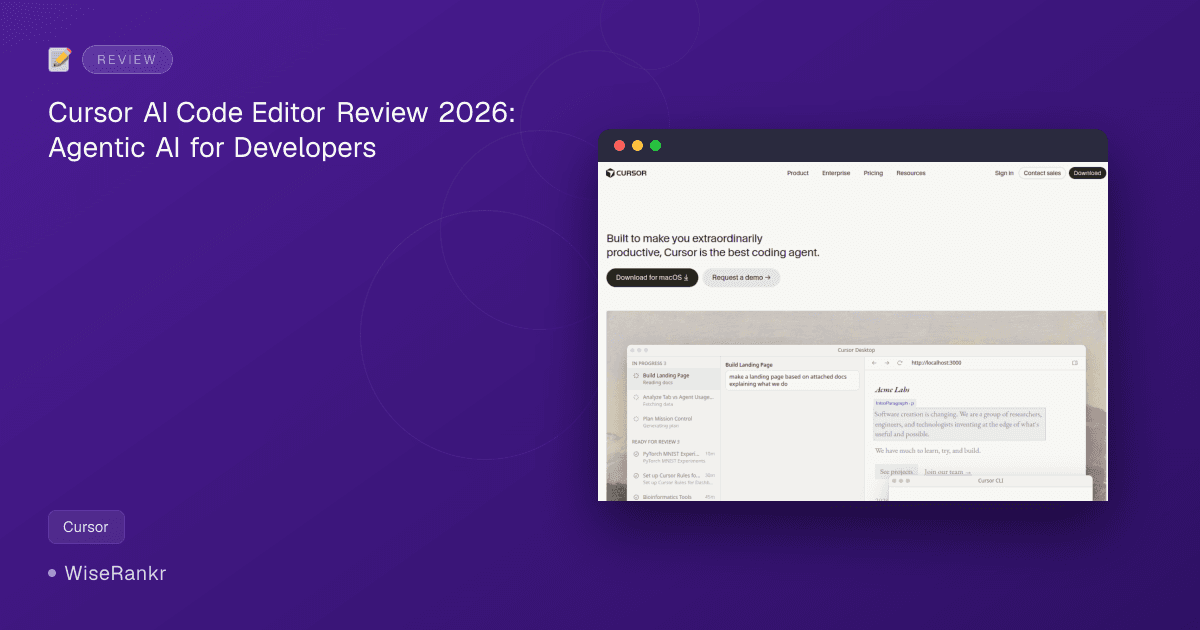
Cursor positions itself as "the best coding agent," built to make developers "extraordinarily productive." It's an AI-powered IDE designed from the ground up for complex, multi-file projects and agentic workflows. By understanding your entire codebase, Cursor aims to provide context-aware suggestions and facilitate multi-file changes that traditional IDEs and simpler AI assistants struggle with.
The tool has seen explosive growth, quickly reaching a $1B ARR within six months, making it one of the fastest-growing developer tools on the market. It's available for macOS and offers both a desktop and a CLI interface, with a mobile agent also in development.
According to its changelog, Cursor has been continuously innovating, with milestones including "Secure codebase indexing" and "Semantic search" in 2026, building on "Reinforcement learning" from 2025 and "Multi-agent collaboration" from 2024. This constant evolution highlights its commitment to staying at the forefront of AI-driven software development.
Essential Features of the Cursor AI Coding Agent
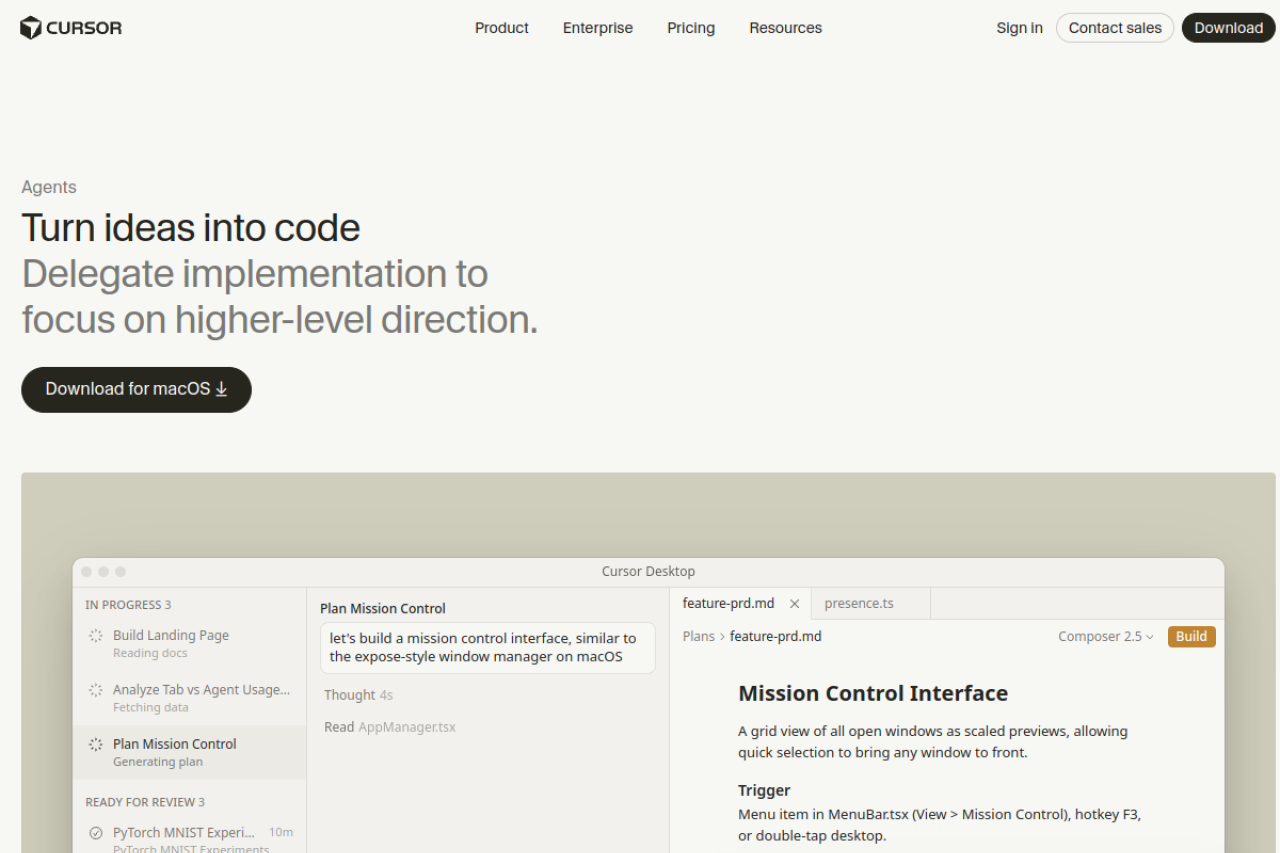
Cursor distinguishes itself with a suite of features designed to delegate implementation tasks to AI, allowing developers to focus on higher-level direction. This isn't just about autocomplete; it's about an AI agent that can understand, plan, and execute complex coding tasks across your entire project.
Core AI Capabilities
- Multi-file editing in a single AI session: This allows the AI to make coordinated changes across multiple files, crucial for larger refactoring or feature implementations.
- Codebase indexing for project-wide context: Cursor builds a deep understanding of your entire project, enabling more accurate and relevant AI suggestions and actions.
- Customizable coding conventions (.cursorrules): Define your team's specific coding styles and architectural patterns, ensuring the AI adheres to your standards.
- Flexible model access: Users can tap into cutting-edge models like Claude Opus, GPT-5.4, and Gemini 3 Pro, providing diverse AI capabilities.
- Agent, Ask, and Manual modes: These modes offer different levels of AI assistance, from fully autonomous agentic task execution to interactive questioning and traditional manual coding.
Workflow Enhancements
- Mission Control Interface: A grid view of all open windows as scaled previews, allowing quick selection and management of tasks. This is triggered via a menu item, hotkey F3, or double-tap desktop.
- Cursor Automations: Available in the Agents Window and on cursor.com/automations, these allow configuration of automations with multiple attached repositories or even no repositories, enabling agents to reason across diverse contexts.
- Multi-repo automations: Agents can now work across multiple codebases, reasoning and delivering tasks that span different repositories.
- No-repo automations: For tasks that exist outside of code, agents can monitor tools and act on key signals without needing an attached repository.
The combination of these features positions Cursor as more than just an AI assistant; it's a comprehensive AI-powered development environment.
Cursor Pricing: Plans for Every Developer and Team
Cursor offers a tiered pricing structure designed to cater to individual developers, teams, and large enterprises. It's important to note that while plans include a base amount of usage, many AI interactions are usage-based, which can lead to variable monthly costs.
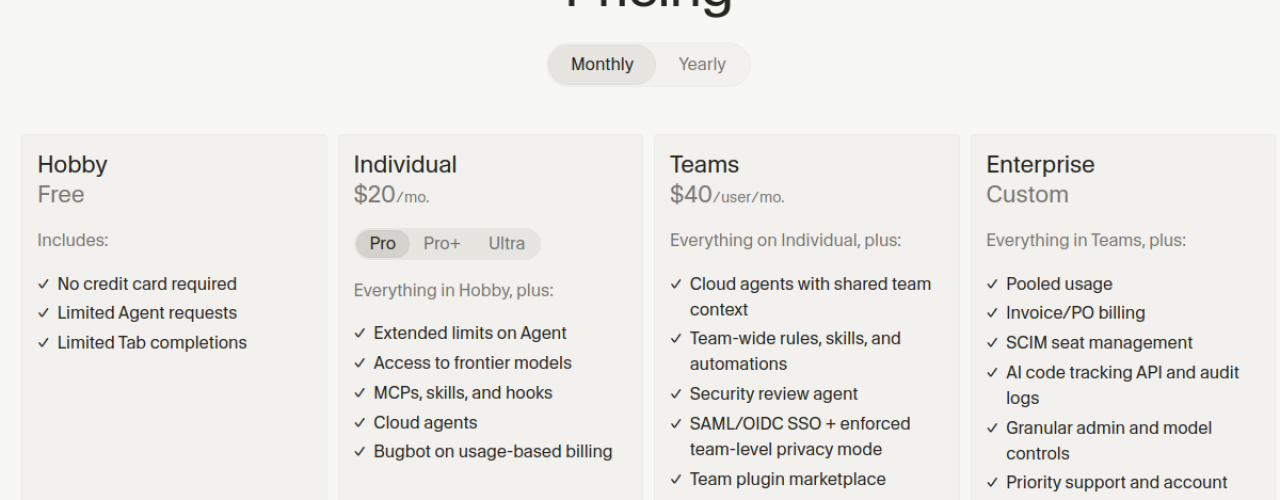
Hobby Plan
- Price: Free
- Includes: Limited Agent requests, Limited Tab completions
- Note: No credit card required. A great way to try out Cursor's basic AI capabilities.
Individual Plans
These plans are designed for solo developers looking for more robust AI assistance.
- Pro: $20/mo (billed monthly)
- Everything in Hobby, plus: Extended limits on Agent, Access to frontier models, MCPs, skills, and hooks, Cloud agents, Bugbot on usage-based billing.
- Includes $20 of API usage.
- Pro+: Visit cursor.sh for details on specific pricing, but it includes $70 of API usage. Recommended for daily agent users.
- Ultra: Visit cursor.sh for details on specific pricing, but it includes $400 of API usage. Recommended for agent power users.
Important Note on Individual Plans: These plans have two usage pools: "Auto + Composer" (generous included usage for everyday agentic coding) and "API" (charged at the model's API price, with included credit). Heavy users often report spending $40-$100+/month beyond the base plan due to usage-based billing.
Teams Plan
- Price: $40/user/mo (billed monthly)
- Includes: Everything on Individual, plus: Cloud agents with shared team context, Team-wide rules, skills, and automations, Security review agent, SAML/OIDC SSO + enforced team-level privacy mode, Team plugin marketplace, Usage analytics, Centralized team billing.
- Each seat includes $20/month of included usage.
Enterprise Plan
- Price: Custom
- Includes: Everything in Teams, plus: Pooled usage, Invoice/PO billing, SCIM seat management, AI code tracking API and audit logs, Granular admin and model controls, Priority support and account management, Bugbot on custom plan.
- Contact sales for details.
For annual pricing options, users should check the Cursor website, as the provided data explicitly lists monthly rates. The company recommends Pro+ for daily agent users and Ultra for agent power users. Teams are encouraged to use the Teams plan, and larger organizations needing advanced features should opt for Enterprise.
User Reviews and Public Sentiment
Cursor has garnered significant attention, leading to a vibrant, albeit mixed, community online. User reviews highlight both the immense power of its AI capabilities and some frustrations, particularly around its pricing model.
G2, Capterra, and Trustpilot Insights
- G2: Users on G2 report an average of 4.5/5 (PlainAI.tech) and 4.7/5 (SaasCompare), with particular praise for Tab autocomplete and the Composer agent.
- Capterra: PlainAI.tech indicates a 4.8/5 rating, positioning Cursor as a top-scoring AI coding tool.
- Trustpilot: This platform tells a different story, with a 1.7/5 rating from over 200 reviews (PlainAI.tech, Memvers). This low score is heavily influenced by complaints following a mid-2025 pricing rollout and changes to usage-based billing.
Key quotes from reviews often praise Cursor as "the most loved AI code editor among power users" but also "the most disliked by developers caught off guard by their bill" (PlainAI.tech). Many users, like those on Memvers, state that "Cursor ruined other editors for me. The Tab completion is spooky good... Agent mode is the real game-changer though." However, the same sentiment often comes with a caveat: "The 1.7 Trustpilot score is not all trolls — the billing is genuinely confusing. The $20/mo Pro plan runs out faster than you expect, and suddenly you are staring at a $60 upgrade."
Reddit User Opinions
Reddit threads reflect a similar duality. There's strong enthusiasm for Cursor's core AI features:
- Exploratory Coding: Users on r/cursor (via BetonAI.net) praise it for "exploratory coding with quick in-editor suggestions," stating "When I’m prototyping or trying to figure out an approach, nothing else comes close."
- Seamless VS Code Migration: Many appreciate the ease of transition, with one r/webdev user (via BetonAI.net) noting, "Settings, extensions, and keybindings imported from VS Code automatically. I was productive in Cursor within five minutes of installing it."
- AI Pair Programmer: The concept of an AI pair programmer living inside the editor resonates strongly with users.
However, Reddit also echoes the criticisms:
- No Offline Mode: A significant drawback mentioned by an r/programming user (via BetonAI.net) is the lack of offline functionality: "No offline AI mode — zero functionality without internet. I was on a flight, opened Cursor, and realized I basically had a worse VS Code."
- Niche Frameworks: The AI's performance with less common technologies can be inconsistent. An r/cursor user (via BetonAI.net) noted it "struggles with niche frameworks — great for React, Node, and Python, but if you’re working with something obscure, the suggestions range from unhelpful to actively wrong."
- Billing Surprises: The usage-based billing continues to be a pain point, with users reporting that the included credits in the Pro plan are consumed faster than anticipated, leading to unexpected higher costs.
Overall, while the technology is lauded for its innovation and productivity gains, the opaque and potentially costly usage-based billing model remains a significant concern for many users.
Integrations and Ecosystem
While the provided data doesn't explicitly list a dedicated "integrations" page or specific third-party tools Cursor connects with, its foundation on a VS Code fork implies a degree of compatibility with the vast VS Code extension ecosystem. The mention of a "Team plugin marketplace" for Teams plan users also suggests an expanding internal ecosystem for enterprise-level functionalities.
The ability to attach multiple repositories to automations further indicates strong integration with version control systems like Git, allowing agents to operate across distributed codebases. For specific integration details, developers should consult Cursor's documentation or contact their sales team directly.
Pros and Cons of Using Cursor
Pros
- Revolutionary AI Capabilities: Multi-file editing, codebase indexing, and advanced agent modes offer unparalleled AI assistance for complex tasks.
- Deep Contextual Understanding: The AI understands your entire codebase, leading to highly relevant suggestions and multi-file changes.
- High Productivity Gains: Users frequently report significant increases in efficiency, particularly for exploratory coding and task delegation.
- VS Code Familiarity: Built on a VS Code fork, it provides a familiar environment for many developers, with easy migration of settings and extensions.
- Access to Frontier Models: Ability to leverage advanced AI models (Claude Opus, GPT-5.4, Gemini 3 Pro) keeps it at the cutting edge.
- Team-Oriented Features: Teams plan offers shared context, rules, automations, and centralized billing for collaborative development.
Cons
- Confusing and Potentially Costly Usage-Based Billing: This is a major pain point, with many users experiencing unexpected high bills due to rapid consumption of included credits.
- No Offline Mode: Requires an internet connection for core AI functionality, limiting usability in disconnected environments.
- Performance with Niche Frameworks: AI suggestions can be less accurate or helpful for less common programming languages or frameworks.
- Vendor Lock-in Potential: While built on VS Code, its proprietary AI features could create reliance on Cursor's ecosystem.
- Limited Public Reviews (outside of pricing): While G2 and Capterra scores are high, the volume of detailed, public user reviews beyond pricing complaints is still developing.
Who Is Cursor For?
Cursor is ideal for:
- Individual Power Users: Developers who want to push the boundaries of AI assistance in their daily coding, especially those comfortable with usage-based billing.
- Teams and Enterprises: Organizations looking to standardize AI-driven development, improve collaboration with shared contexts and rules, and enhance security and analytics.
- Developers working on complex, multi-file projects: Where traditional AI assistants fall short, Cursor's codebase-wide understanding shines.
- Innovators and early adopters: Those eager to integrate the latest AI agent capabilities into their workflow.
It might be less suitable for developers who require strict budget predictability, frequently work offline, or primarily use niche, less common programming languages and frameworks where AI model training data might be sparse.
Alternatives to Cursor
While Cursor stands out with its agentic capabilities, several other tools offer AI assistance for coding:
- GitHub Copilot: A popular AI pair programmer offering inline code suggestions and completions, primarily integrated into existing IDEs like VS Code. Copilot is generally more focused on immediate code generation rather than multi-file agentic tasks.
- Codeium: Provides AI-powered autocomplete, chat, and command-line tools across various IDEs. It offers a strong free tier and focuses on developer experience.
- Tabnine: Another AI code completion tool that learns from your code and provides personalized suggestions. It offers both cloud and on-premise solutions.
These alternatives generally focus on code completion and in-editor chat, whereas Cursor aims for a more autonomous, agent-driven approach to software development, tackling larger, multi-file tasks. Therefore, while they all offer AI assistance, their core philosophies and target use cases differ significantly.
WiseRankr Verdict
Cursor is a groundbreaking tool that truly pushes the boundaries of what an AI coding agent can achieve in 2026. Its ability to understand entire codebases, perform multi-file edits, and delegate complex tasks to AI agents is genuinely transformative for developer productivity. The glowing reviews from power users on platforms like G2 and Capterra, and testimonials from industry leaders like Stripe and OpenAI, underscore its technical prowess and potential.
However, the elephant in the room is its usage-based billing model. The significant disparity between high satisfaction with features and low satisfaction with pricing (as seen on Trustpilot and Reddit) indicates a critical area for improvement. Developers need transparent and predictable costs, and Cursor's current model can lead to unwelcome surprises.
For individuals and teams willing to navigate the billing complexities and invest in a cutting-edge AI development environment, Cursor offers a glimpse into the future of software creation. If you're an enterprise with custom billing arrangements or a dedicated budget for AI tools, Cursor's Enterprise plan could unlock substantial efficiency gains. That said, potential users should proceed with caution, closely monitor their usage, and thoroughly understand the pricing structure before committing to higher tiers. Cursor is undeniably powerful, but its full value is currently shadowed by its pricing model's perceived opaqueness.
Frequently Asked Questions (FAQ)
What is Cursor and how does it differ from GitHub Copilot?
Cursor is an AI-native code editor built on a VS Code fork that integrates AI agents capable of understanding and making changes across your entire codebase. Unlike GitHub Copilot, which primarily offers inline code completion and suggestions, Cursor aims to delegate more complex, multi-file tasks and act as a more autonomous coding agent.
Does Cursor offer a free plan?
Yes, Cursor offers a "Hobby" plan which is free. It includes limited Agent requests and limited Tab completions, allowing users to experience basic AI functionalities without a credit card.
What are the main criticisms of Cursor's pricing?
The primary criticism revolves around its usage-based billing, particularly for Individual plans. Users often find that the included credits for AI model interactions are consumed faster than expected, leading to unexpected and higher monthly costs beyond the advertised base price.
Can Cursor work offline?
No, Cursor requires an active internet connection for its core AI functionalities. Users have reported that without internet access, much of its advanced AI assistance becomes unavailable.