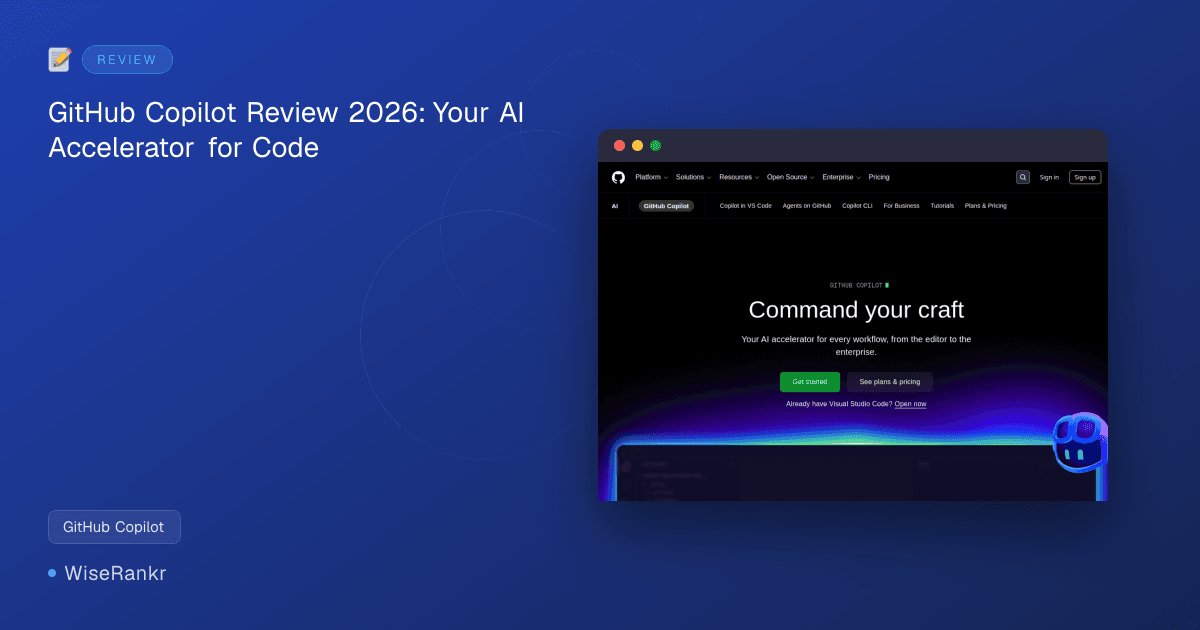
Are you spending too much time on boilerplate code or wrestling with complex logic? In the fast-paced world of software development, efficiency is paramount. Enter GitHub Copilot, an AI pair programmer designed to accelerate every stage of your workflow, from initial code suggestions to deep contextual understanding.
This review delves into how GitHub Copilot, powered by advanced large language models, aims to transform your coding experience in 2026. We'll explore its features, pricing, and what real users are saying, helping you decide if this AI accelerator is the right fit for your development needs.
GitHub Copilot Overview
GitHub Copilot is presented as an AI accelerator for various workflows, from individual developers to enterprise teams. It functions as an AI pair programmer, providing real-time code suggestions, explanations, and even the ability to execute tasks autonomously through "agent mode." The tool integrates directly into popular IDEs and GitHub itself, aiming to keep developers in their flow.
It leverages leading LLMs, allowing users to choose models optimized for speed, accuracy, or cost, and supports custom and third-party agents. This flexibility suggests a move towards a more customizable AI-assisted development environment.
Essential GitHub Copilot Features
GitHub Copilot offers a robust set of features designed to enhance developer productivity and streamline the coding process. Its core functionality revolves around intelligent code assistance and integration within the development ecosystem.
AI-Powered Code Suggestions and Completions
At its heart, GitHub Copilot provides real-time code suggestions and completions, from single lines to entire functions. It understands the context of your code, making suggestions that aim to be relevant and accurate. This feature is particularly useful for accelerating repetitive tasks and reducing the mental overhead of recalling syntax or common patterns.
Users on G2 report that this "inline ghost text" is highly effective for "blast[ing] through boilerplate code and basic functions."
Chat Assistance and Explanations
Beyond just suggestions, Copilot offers chat assistance within your IDE. This allows developers to ask questions, understand complex logic, and even receive explanations for existing code. This conversational interface aims to make learning and debugging more interactive and accessible.
According to user reviews, "CoPilot AI can help with understanding complex logic and patterns because it is capable of understanding complex programming logic."
Agent Mode for Task Execution
A significant advancement in GitHub Copilot is its "agent mode." This feature allows developers to assign tasks to AI agents, including Copilot itself, Claude by Anthropic, and OpenAI Codex. These agents can plan, explore, and execute work autonomously in the background, potentially freeing up developers for more complex problem-solving.
This capability extends beyond simple code generation, moving into more proactive assistance like proposing edits and validating files.
Deep IDE Integration
GitHub Copilot is designed to work seamlessly within various development environments. It supports popular IDEs like VS Code, JetBrains, and Neovim, ensuring that the AI assistance is directly available where developers spend most of their time. This deep integration is frequently cited by users as a major benefit.
SoftwareReviews.com users highlight that "Deeper IDE integration is my favorite aspect. Copilot works directly within editors like VS Code, providing real-time code suggestions, completions, and explanations without switching tools."

Flexible LLM and Agent Choices
Recognizing that one size doesn't fit all, GitHub Copilot allows users to choose from leading LLMs optimized for speed, accuracy, or cost. Furthermore, it supports the use of custom agents or third-party agents that users already rely on, offering a high degree of customization and control over the AI assistance.
GitHub Copilot Pricing Plans
GitHub Copilot offers a clear pricing structure, including a free tier and a trial option. It's important to note a "Pricing update coming soon" banner on their pricing page, indicating potential future changes. As of late 2026, there's been a shift towards usage-based billing for some features, effective June 1, 2026.
GitHub Copilot Free
- Price: $0 USD per month forever
- Includes:
- Unlimited public/private repositories
- Dependabot security and version updates
- 50 agent mode or chat requests per month
- 2,000 completions per month
- Access to Haiku 4.5, GPT-5 mini, and Copilot CLI
- Eligibility: Individual developers who don't have access through an organization or enterprise. Verified students also have access to the Copilot Student plan, which appears to align with these benefits.
For those looking to explore the broader GitHub ecosystem, there's also a 30-day free trial that includes GitHub Enterprise, Copilot, and Advanced Security, offering a comprehensive look at their offerings.
User Reviews and Sentiment
User feedback for GitHub Copilot is generally positive, highlighting its utility in accelerating development. However, recent changes and concerns have also surfaced, particularly within the developer community on platforms like Reddit.
Positive Feedback
On G2, GitHub Copilot holds an impressive 4.6/5 rating from 74 reviews, with users frequently praising its real-time code suggestions and ability to handle boilerplate code. SoftwareReviews.com further reinforces this, with an 8.7/10 overall rating from 278 reviews, an 87% likeliness to recommend, and a strong 96% plan to renew. The Net Emotional Footprint is overwhelmingly positive at +94%.
Common themes among positive reviews include the significant boost in productivity, the accuracy of suggestions, and the seamless integration with popular IDEs like VS Code. Users appreciate how it makes adding new features feel as straightforward as "describing them to a coworker."
Concerns and Criticisms
Despite the high ratings, Reddit discussions reveal some recent frustrations that prospective users should be aware of. A major point of contention has been the perceived "bait-and-switch" regarding the removal of the "High-Effort Opus" model from Copilot Pro. Users considered this crucial for complex tasks like code understanding, planning, refactoring, and debugging, and its removal has led to feelings of diminished product value.
Another significant complaint revolves around "obscenely long" rate limits, with some users reporting lockouts lasting 44 hours or even 181 hours. This is attributed to a bug in token counting and GitHub's efforts to manage unanticipated costs. This issue, coupled with a perceived lack of transparency regarding product changes and refund policies, has led to a desire for a more fair and clear business model.
Integrations
GitHub Copilot is designed to integrate deeply within the developer's workflow, primarily through its presence in popular Integrated Development Environments (IDEs) and its inherent connection to the GitHub platform. While specific third-party integrations beyond IDEs aren't explicitly detailed as direct connectors, the platform emphasizes its flexibility in working with various agents.
- IDEs: GitHub Copilot works seamlessly within major IDEs such as Visual Studio Code, JetBrains IDEs (e.g., IntelliJ IDEA, PyCharm), and Neovim. This allows for real-time code suggestions and chat assistance directly within the coding environment.
- GitHub Platform: As a GitHub product, it naturally integrates with GitHub repositories, understanding project context and providing relevant suggestions.
- AI Agents: The platform supports the use of GitHub Copilot's own agents, custom agents, and third-party agents like Claude by Anthropic and OpenAI Codex for executing tasks autonomously. This implies a framework for integrating various AI models and tools into the Copilot workflow.
The ability to build integrations to extend GitHub's functionality through GitHub Apps, GitHub Actions workflows, and custom actions suggests a broader ecosystem where Copilot could potentially interact or be leveraged. Developers can use GitHub's REST and GraphQL APIs, along with webhooks, to build custom tools that interact with the GitHub environment, potentially extending Copilot's reach.

Pros and Cons of GitHub Copilot
Pros:
- Accelerated Coding: Significantly speeds up development by generating boilerplate code and offering intelligent suggestions.
- Enhanced Productivity: Keeps developers in their flow by providing real-time assistance directly within the IDE.
- Contextual Understanding: Leverages advanced LLMs to provide relevant and accurate code completions.
- Chat Assistance: Offers in-IDE chat for explanations, debugging, and understanding complex logic.
- Agent Mode: Allows for autonomous task execution by AI agents, potentially freeing up developer time.
- Deep IDE Integration: Works seamlessly with popular IDEs like VS Code, JetBrains, and Neovim.
- Flexible LLM Choices: Users can select LLMs optimized for specific needs (speed, accuracy, cost).
- Free Tier Availability: Offers a free plan with substantial features for individual developers and students.
Cons:
- Recent Feature Removals: The discontinuation of models like "High-Effort Opus" has led to user dissatisfaction and a perceived reduction in value for some advanced use cases.
- Rate Limiting Issues: Users have reported unexpected and lengthy rate limits, impacting continuous use and workflow.
- Lack of Transparency: Concerns exist regarding communication around product changes, model availability, and refund policies.
- Potential for Incorrect Suggestions: While generally accurate, AI suggestions can sometimes be incorrect or lead to less optimal solutions, requiring developer oversight.
- Dependency on Internet Connection: Requires an active internet connection for full functionality.
- Vendor Lock-in Risk: Deep integration into the GitHub ecosystem could lead to some level of vendor lock-in for teams heavily reliant on its advanced features.
Who Is GitHub Copilot For?
GitHub Copilot targets a broad spectrum of developers and organizations, aiming to be a universal AI accelerator. Its flexible pricing and feature set cater to several distinct groups:
- Individual Developers: The free tier makes it accessible for hobbyists, open-source contributors, and those looking to enhance their personal coding speed.
- Students: Verified students gain access to the Copilot Student plan, providing valuable AI assistance for learning and projects without cost.
- Small to Medium-sized Teams: Teams looking to boost productivity, standardize code, and reduce development cycles can benefit from its real-time suggestions and collaborative potential.
- Enterprises: With options for choosing LLMs optimized for cost and integration with enterprise-level GitHub offerings (via the 30-day trial including GitHub Enterprise), larger organizations can leverage Copilot for scale and efficiency.
- Developers Using Popular IDEs: Anyone working with VS Code, JetBrains IDEs, or Neovim will find its deep integration particularly beneficial.
- Those Exploring AI Agents: Developers interested in offloading tasks to autonomous AI agents will find the agent mode a powerful addition.
Essentially, if you write code and want to do it faster, with more assistance, and potentially delegate routine tasks, GitHub Copilot is designed for you.
Best Alternatives to GitHub Copilot
While GitHub Copilot stands out as a prominent AI pair programmer, several alternatives offer similar or complementary functionalities. When considering alternatives, it's important to evaluate specific needs regarding language support, IDE integration, and pricing models.
- Tabnine: Offers AI code completion that runs locally or on a private cloud, focusing on privacy and security. It supports a wide range of languages and IDEs and can be trained on your own code.
- CodeWhisperer by Amazon: Amazon's AI coding companion provides real-time code recommendations based on comments and existing code. It integrates with IDEs like VS Code and IntelliJ IDEA and supports multiple languages, with a strong focus on AWS services.
- Jedi: A comprehensive autocompletion tool for Python that is often integrated into various IDEs. While not a full-fledged AI pair programmer, it offers highly accurate and context-aware suggestions for Python development.
- GPT-powered IDE extensions (e.g., Cursor, plugins for VS Code): Numerous third-party extensions leverage OpenAI's GPT models to provide code generation, explanation, and refactoring capabilities. These often offer more flexibility in model choice but might lack the deep, native integration of Copilot.
Each alternative has its strengths, whether it's specialized language support, enhanced privacy features, or a different pricing structure. The "best" alternative will depend on your specific development environment, project requirements, and budget.
The WiseRankr Verdict on GitHub Copilot
GitHub Copilot, in 2026, solidifies its position as a powerful AI pair programmer, offering significant advantages in accelerating development workflows. Its core strength lies in its intelligent, real-time code suggestions and deep integration with popular IDEs, which users consistently praise for boosting productivity and handling boilerplate code.
The introduction of agent mode, allowing autonomous task execution and flexible LLM choices, points towards a future where AI plays an even more proactive role in software development. The availability of a free tier for individuals and students is a clear benefit, democratizing access to advanced AI tools.
However, recent user feedback, particularly from Reddit, highlights legitimate concerns regarding changes in model availability (e.g., the removal of "High-Effort Opus") and unexpected rate limiting. These issues, coupled with a perceived lack of transparency, represent areas where GitHub needs to improve to maintain user trust and satisfaction. While the overall sentiment remains largely positive, these recent challenges could impact the perception of value, especially for those relying on advanced features or annual subscriptions.
For developers seeking to enhance their coding speed and efficiency, and who are willing to navigate potential evolving feature sets, GitHub Copilot remains a top-tier choice. Its ability to "command your craft" and act as an "AI accelerator" is undeniable, making it an essential tool for many in the modern development landscape. However, potential users should stay informed about ongoing changes and consider the implications of its usage-based billing model, effective June 1, 2026.
Frequently Asked Questions About GitHub Copilot
What is GitHub Copilot?
GitHub Copilot is an AI pair programmer developed by GitHub and OpenAI that provides real-time code suggestions, completions, and explanations directly within your Integrated Development Environment (IDE). It uses advanced large language models to understand context and assist developers in writing code faster.
How much does GitHub Copilot cost?
GitHub Copilot offers a free tier for individual developers and verified students, which includes 50 agent mode/chat requests and 2,000 completions per month. For more comprehensive plans, visit GitHub Copilot's pricing page for the latest details and any upcoming pricing updates.
What IDEs does GitHub Copilot support?
GitHub Copilot supports deep integration with several popular IDEs, including Visual Studio Code, JetBrains IDEs (such as IntelliJ IDEA, PyCharm, WebStorm), and Neovim. This ensures that the AI assistance is available directly where developers write their code.
Can GitHub Copilot write entire functions?
Yes, GitHub Copilot can suggest not just single lines of code but also entire functions based on the context of your existing code and comments. Users often find it effective for generating boilerplate code and common functions, significantly speeding up the development process.