Are you struggling to transform your creative ideas into compelling visuals without spending hours in design software? In 2026, the demand for quick, high-quality image generation is higher than ever, and tools like NoteGPT Text-to-Image promise to bridge this gap. This review dives deep into NoteGPT's offering, assessing its capabilities, value, and overall user experience.
NoteGPT, primarily known for its note-taking and productivity suite, extends its AI capabilities with its Text-to-Image converter. This feature aims to provide a seamless way for users to generate images directly from text prompts, leveraging advanced AI models like Google Gemini 3 and Nano Banana Pro. But does it deliver on its promise of stunning, instant visuals?
Overview: What is NoteGPT Text-to-Image?
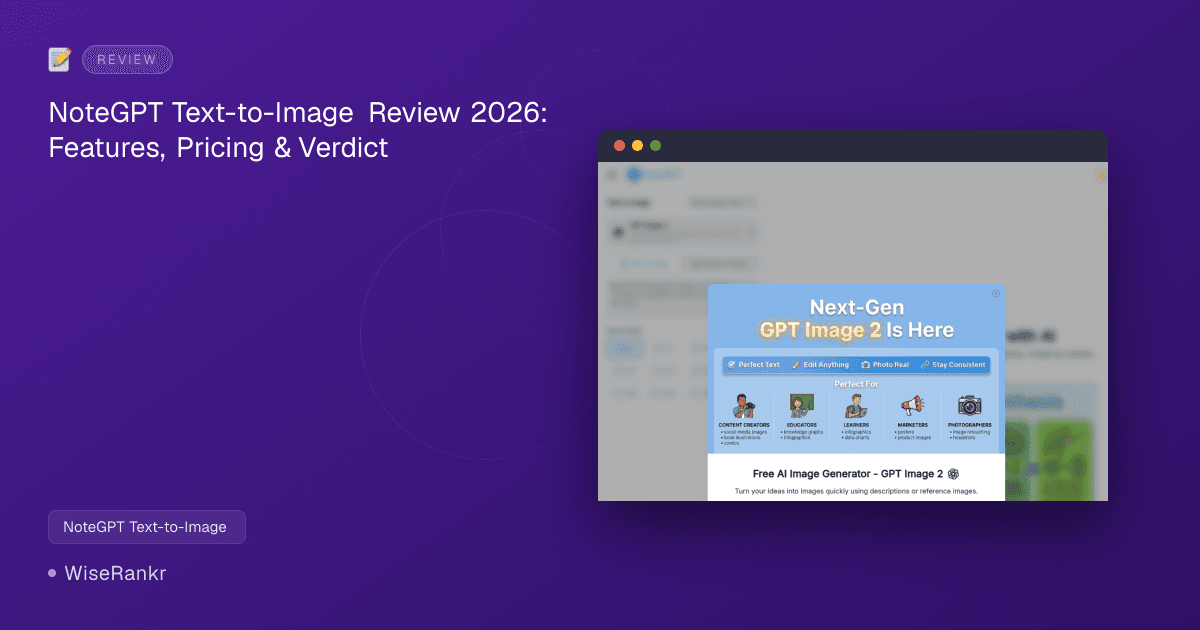
NoteGPT Text-to-Image is an online AI tool designed to convert textual descriptions into various visual formats, including art, realistic photos, illustrations, and designs. It's integrated within the broader NoteGPT ecosystem, making it a convenient option for existing users. The tool boasts a "free online & no sign-up" entry point, allowing users to quickly experiment with its capabilities.
The service is powered by sophisticated AI models, specifically Google Gemini 3 and Nano Banana Pro, which contribute to its ability to generate diverse and high-quality images. It's positioned as a lightweight, prompt-to-image solution, ideal for those seeking efficiency without complex interfaces.
Key Features of NoteGPT Text-to-Image
NoteGPT Text-to-Image focuses on straightforward, accessible image generation. Its core features are built around simplicity and integration within the NoteGPT suite.
- Lightweight Prompt-to-Image Tool: The primary function allows users to input text prompts and receive generated images.
- Powered by Google Gemini 3 and Nano Banana Pro: Utilizes advanced AI models for image generation, aiming for diverse and quality outputs.
- Free Basic Access (No Sign-up): Users can start generating images immediately without creating an account, offering a low barrier to entry.
- Simple and Quick Generation: Designed for ease of use, enabling fast creation of visuals.
- Integrated with NoteGPT Ecosystem: Benefits from being part of a larger productivity suite, potentially offering seamless workflows for NoteGPT users.
- Aspect Ratio Selection: Provides various aspect ratio options (e.g., 1:1, 16:9, 9:16, 4:3, 3:2, 2:3, 3:4, 4:5, 5:4, 21:9) to tailor images for different platforms or uses.
- Other AI Image Tools: While the core focus is Text-to-Image, the NoteGPT platform offers a suite of related AI image tools, including AI Image Editor, Background Remover, AI Image Enhancer, AI Headshot Generator, AI Object Remover, and AI Image Upscaler.
NoteGPT Text-to-Image Pricing
NoteGPT Text-to-Image operates on a freemium model. Users receive a limited number of free generations daily, with additional generations requiring premium credits. The overarching NoteGPT platform offers several subscription tiers, which include varying amounts of these premium credits.
Free Access
- 2 free images daily
- No sign-up required for basic use.
Premium Plans (for NoteGPT platform, which includes Text-to-Image credits)
Beyond the free daily images, generating more images requires premium credits, which are part of the broader NoteGPT subscription plans. Each additional image costs 4 premium credits.
1. Unlimited No Auto-Renewal Plan
- Monthly: $29/month
- Annually: $19.92/mo billed annually ($239/yr)
- Includes Unlimited Basic Quotas / month for various NoteGPT features.
- Includes 2,800 Premium Credits / month.
- This plan is marketed as "80% of users buy."
2. Max No Auto-Renewal Plan
- Monthly: $99/month
- Annually: $69/mo billed annually ($829/yr)
- Includes More premium credits than Unlimited.
- Includes Unlimited Basic Quotas / month for various NoteGPT features.
- Includes 10,000 Premium Credits / month.
- Offers commercial use rights.
NoteGPT also mentions an "Education plan" for $4.99/month for education accounts. Visit notegpt.io/pricing for the most current details on all plans and their included features.
User Reviews and Sentiment
User sentiment for NoteGPT as a whole, and by extension its Text-to-Image feature, is somewhat mixed, reflecting different user expectations and experiences with its credit system.
- Trustpilot: NoteGPT holds an average rating of 3.4 out of 5 from 4 reviews, with some users praising its "super handy and quick generation" for summaries. However, another source suggests a lower Trustpilot score of 2.1 out of 5 from 18 reviews, primarily citing complaints about the quota system and unclear free access limitations. This suggests that users who don't fully understand the credit model can become frustrated.
- Product Hunt: On Product Hunt, NoteGPT has a perfect 5/5 rating from 2 reviews, with one reviewer highlighting its utility, especially for text summarization.
- G2: While specific ratings for the Text-to-Image feature are not readily available, general NoteGPT reviews on G2 commend its ability to "solve a major problem of learning fast" and improve efficiency by tenfold, particularly for its video content question-asking feature.
- Reddit: Reddit communities like r/GetStudying and r/NoteTaking show a more positive sentiment, especially among users who grasp the quota system and utilize its YouTube summarizer and AI chat for academic workflows. This indicates that users who understand the tool's scope and limitations find it genuinely useful.
Overall, users appreciate the ease of use and the ability to generate images quickly. However, the credit-based system for image generation appears to be a point of contention for some, particularly those expecting unlimited free usage. Users on G2 report that the broader NoteGPT platform is effective for productivity, which suggests the Text-to-Image tool could enhance workflows for existing users.
Integrations
NoteGPT Text-to-Image is primarily an integrated feature within the larger NoteGPT ecosystem. While direct third-party software integrations aren't explicitly detailed for the Text-to-Image component, its position within the NoteGPT suite implies seamless interaction with other NoteGPT AI tools, such as:
- AI Image Editor
- Background Remover
- AI Image Enhancer
- AI Headshot Generator
- AI Object Remover
- AI Passport Photo Maker
- AI Image Upscaler
- AI Photo Restoration
- AI Image Extender
- AI Background Changer
This internal ecosystem allows users to generate an image and then immediately refine or modify it using other NoteGPT AI capabilities, streamlining the visual creation process. There's no explicit mention of direct integrations with external design software or content management systems.
Pros & Cons of NoteGPT Text-to-Image
Like any tool, NoteGPT Text-to-Image comes with its strengths and weaknesses, especially when viewed through the lens of its target audience and pricing model.
Pros
- Ease of Use: The "free online & no sign-up" access makes it incredibly easy to jump in and start generating images. Its interface is designed for simplicity.
- Quick Generation: Users can turn text prompts into images instantly, saving time for content creators, marketers, and students.
- Integrated Ecosystem: Being part of the broader NoteGPT platform allows for a cohesive workflow, where users can generate images and then use other AI tools for editing or enhancement.
- Powered by Advanced AI: Utilizing Google Gemini 3 and Nano Banana Pro suggests a commitment to modern, capable AI models for image creation.
- Aspect Ratio Flexibility: Offers a good range of aspect ratios, making it adaptable for various social media, web, or print needs.
- Cost-Effective for Casual Use: With 2 free images daily, it's a great option for individuals with minimal, sporadic image generation needs.
Cons
- Limited Free Daily Generations: Only 2 free images per day can be restrictive for users with higher volume needs, quickly pushing them towards paid plans.
- Credit-Based System: The requirement of 4 premium credits per image after the free limit can become costly, especially for the "Unlimited" plan which only provides 2,800 credits (equivalent to 700 images/month).
- Potential for Unclear Pricing: Some Trustpilot reviews suggest user frustration stemming from a lack of clarity around the credit system and free access limitations.
- No Standalone Pricing for Text-to-Image: The pricing is bundled into the broader NoteGPT subscription, which might be overkill for users solely interested in image generation.
- Limited Public Reviews Specifically for Text-to-Image: While general NoteGPT reviews are available, detailed feedback specifically on the Text-to-Image feature's quality and performance is less prevalent.
- Vendor Lock-in Risk: For users heavily reliant on the NoteGPT ecosystem, transitioning to other tools might be inconvenient.
Who Is NoteGPT Text-to-Image For?
NoteGPT Text-to-Image is best suited for a specific set of users:
- NoteGPT Ecosystem Users: Individuals already using NoteGPT for note-taking, summarization, or other AI productivity tools will find this feature a natural extension of their workflow.
- Casual Content Creators: Bloggers, social media managers, or students who need a few quick, decent-quality images daily for non-critical projects and don't want to sign up or pay for a dedicated service.
- Beginners in AI Art: Its simple interface and free access make it an excellent starting point for those new to text-to-image generation who want to experiment with prompts.
- Marketers Needing Rapid Visuals: For quick mock-ups or placeholder images where speed is more critical than artistic nuance or bespoke quality, it can be a handy tool.
- Small Businesses on a Budget: Companies needing occasional visuals without investing in design software or professional designers.
It's less ideal for professional artists, designers, or agencies requiring high-volume, highly customizable, and commercially robust image generation solutions with advanced control over outputs.
Alternatives to NoteGPT Text-to-Image
The text-to-image AI market is competitive, with many tools offering varying levels of complexity, quality, and pricing. Here are some key alternatives:
- Adobe Firefly: Known for commercial-use safety, trained on Adobe Stock and licensed content. Ideal for professionals.
- ChatGPT (DALL-E): Offers versatile text-to-image generation within the ChatGPT interface, popular for its broad capabilities.
- Google Gemini: Provides high-quality images, supports text + image prompts, and features an advanced model for more nuanced creations.
- Leonardo AI: Offers advanced models, a prompt enhancer, and a canvas editor for more creative control. Favored by AI artists.
- Canva: Integrates text-to-image directly into its design canvas, making it great for users already familiar with Canva's ecosystem for creating social media graphics, presentations, and more.
- Microsoft Copilot: Provides text-to-image generation with multiple art styles, often integrated into Microsoft's productivity suite.
- Fotor: Offers various styles and AI editing tools alongside text-to-image generation.
- Picsart: Features generative AI tools, stickers, styles, and effects, catering to a broad creative audience.
- Pixlr: Known for its fast generation modes (Fast / Pro / Ultra) and support for negative prompts to refine outputs.
Each alternative caters to slightly different needs, from professional-grade commercial use (Adobe Firefly) to broader creative editing (Canva, Picsart) or advanced AI art generation (Leonardo AI). NoteGPT Text-to-Image stands out for its simplicity and integration within its own productivity suite, making it a good fit for its specific niche rather than a direct competitor for every use case.
The WiseRankr Verdict
NoteGPT Text-to-Image is a functional and accessible entry point into AI-powered image generation. Its "free online & no sign-up" model is genuinely appealing for quick, casual use, and its integration within the broader NoteGPT ecosystem adds value for existing users. The underlying Google Gemini 3 and Nano Banana Pro models promise capable image creation, and the aspect ratio options are a thoughtful touch.
However, the tool's freemium model and credit system can be a stumbling block. The limit of 2 free images daily, followed by a 4-premium-credit charge, means that anything beyond very light use will quickly require a subscription to the full NoteGPT platform. This might be a deterrent for users solely interested in text-to-image, as the bundled pricing can feel excessive if they don't utilize NoteGPT's other AI features.
For individuals and small teams already using or considering NoteGPT for its productivity features, the Text-to-Image tool is a convenient and valuable addition. For those seeking a dedicated, high-volume, or highly customizable AI image generator, alternatives like Leonardo AI, Adobe Firefly, or DALL-E might offer more robust features and clearer pricing structures for specific image generation needs. NoteGPT Text-to-Image earns a solid 3.8 out of 5 stars for its ease of use and integration, but its credit system and generalist approach prevent a higher score for dedicated image generation tasks.
Frequently Asked Questions (FAQs)
Q: Is NoteGPT Text-to-Image completely free to use?
A: NoteGPT Text-to-Image offers 2 free image generations daily without requiring a sign-up. After exceeding this limit, each additional image costs 4 premium credits, which are acquired through NoteGPT's paid subscription plans.
Q: What kind of images can I generate with NoteGPT Text-to-Image?
A: You can generate a variety of visuals, including art, realistic photos, illustrations, and designs, by providing simple text prompts. The tool supports various aspect ratios to suit different output needs.
Q: Do I need a NoteGPT account to use the Text-to-Image feature?
A: No, you do not need to sign up for a NoteGPT account to use the basic Text-to-Image feature and generate your 2 free daily images. However, to access more generations and premium features, a subscription to the NoteGPT platform is required.
Q: How does NoteGPT Text-to-Image compare to DALL-E or Midjourney?
A: NoteGPT Text-to-Image is positioned as a lightweight, easy-to-use tool integrated into a broader productivity suite, ideal for casual use and existing NoteGPT users. Tools like DALL-E and Midjourney often offer more advanced controls, higher fidelity outputs, and are typically geared towards professional artists and designers with more specific needs for AI art generation.
``` ```json { "seoTitle": "NoteGPT Text-to-Image Review 2026: Instant AI Visuals?", "seoDescription": "Discover NoteGPT Text-to-Image's capabilities, pricing, and user reviews in 2026. Get 2 free daily images or upgrade for more AI-powered visuals.", "excerpt": "NoteGPT Text-to-Image offers quick, AI-powered image generation directly from text prompts, leveraging Google Gemini 3 and Nano Banana Pro. This review explores its freemium model, features, and suitability for various users.", "targetKeyword": "NoteGPT Text-to-Image", "faq": [ { "question": "Is NoteGPT Text-to-Image completely free to use?", "answer": "NoteGPT Text-to-Image offers 2 free image generations daily without requiring a sign-up. After exceeding this limit, each additional image costs 4 premium credits, which are acquired through NoteGPT's paid subscription plans." }, { "question": "What kind of images can I generate with NoteGPT Text-to-Image?", "answer": "You can generate a variety of visuals, including art, realistic photos, illustrations, and designs, by providing simple text prompts. The tool supports various aspect ratios to suit different output needs." }, { "question": "Do I need a NoteGPT account to use the Text-to-Image feature?", "answer": "No, you do not need to sign up for a NoteGPT account to use the basic Text-to-Image feature and generate your 2 free daily images. However, to access more generations and premium features, a subscription to the NoteGPT platform is required." }, { "question": "How does NoteGPT Text-to-Image compare to DALL-E or Midjourney?", "answer": "NoteGPT Text-to-Image is positioned as a lightweight, easy-to-use tool integrated into a broader productivity suite, ideal for casual use and existing NoteGPT users. Tools like DALL-E and Midjourney often offer more advanced controls, higher fidelity outputs, and are typically geared towards professional artists and designers with more specific needs for AI art generation." } ], "pros": [ "Ease of Use with no sign-up for basic access", "Quick and instant image generation", "Integrated within the NoteGPT ecosystem for seamless workflows", "Powered by advanced AI models (Google Gemini 3, Nano Banana Pro)", "Flexible aspect ratio options", "Cost-effective for very casual, low-volume use" ], "cons": [ "Limited free daily generations (only 2 images)", "Credit-based system can become costly for higher volume", "Pricing is bundled with the broader NoteGPT platform, not standalone", "Potential for user frustration due to unclear credit limitations", "Fewer public reviews specifically for the Text-to-Image feature", "Risk of vendor lock-in if heavily reliant on the NoteGPT ecosystem" ], "features": [ "Lightweight Prompt-to-Image Tool", "Powered by Google Gemini 3 and Nano Banana Pro", "Free Basic Access (No Sign-up)", "Simple and Quick Generation", "Integrated with NoteGPT Ecosystem", "Aspect Ratio Selection", "AI Image Editor (within NoteGPT suite)", "Background Remover (within NoteGPT suite)", "AI Image Enhancer (within NoteGPT suite)" ], "tags": [ "AI Image Generator", "Text-to-Image", "AI Art", "Productivity Tool", "Freemium Software", "NoteGPT" ], "rating": 3.8, "pricingType": "freemium", "shortDescription": "NoteGPT Text-to-Image is an AI tool for generating visuals from text, offering 2 free images daily and integrated within the NoteGPT productivity suite." }