
Ultimate AI Productivity Tools: Automate & Scale in 2026
In 2026, the landscape of business efficiency is irrevocably shaped by artificial intelligence. Businesses that harness the power of AI to automate repetitive tasks, streamline workflows, and make data-driven decisions are not just surviving; they're thriving. But with so many options available, how do you choose the best AI productivity tools for your specific needs?
This comprehensive guide from WiseRankr.com dives deep into leading AI productivity tools on the market today. We'll break down their core functionalities, pricing structures, and what users are saying, helping you make an informed decision to supercharge your team's output.
- Efficiency Gains: Automate mundane tasks, freeing up human capital for strategic work.
- Scalability: Handle increasing workloads without proportional increases in headcount.
- Intelligent Decisions: Leverage AI-driven insights to optimize processes and predict outcomes.
- Competitive Edge: Stay ahead by adopting cutting-edge technologies that enhance operational agility.
Leading the Charge: Best AI Productivity Tools in 2026
1. Zapier: The AI Workflow Orchestrator
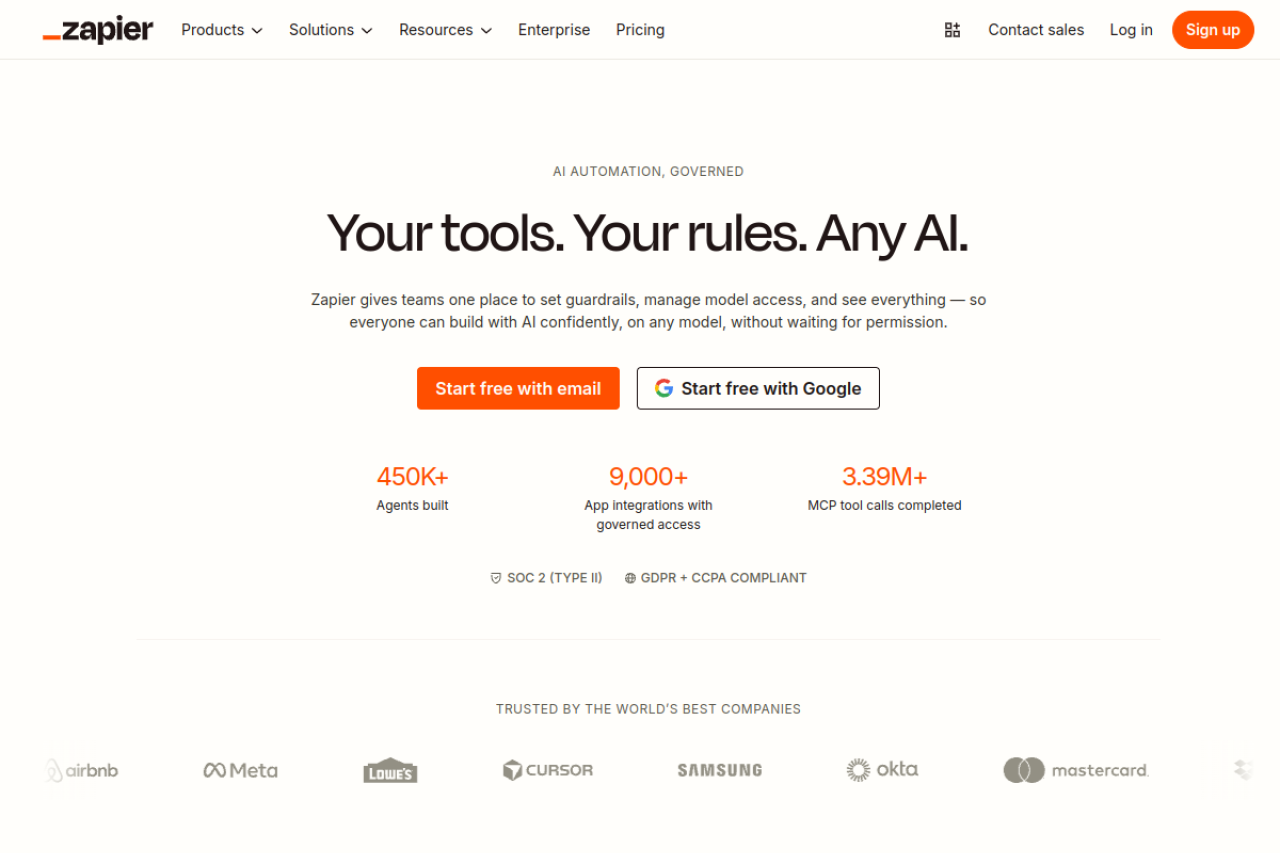
Zapier has evolved from a simple integration platform into a sophisticated orchestrator for AI workflows, agents, and apps. It allows users to connect over 9,000 applications, automating tasks without requiring any coding. Its recent focus on AI governance and multi-model support positions it as a critical tool for organizations integrating AI into their operations.
Zapier enables teams to set guardrails, manage model access, and track AI actions, ensuring secure and compliant AI implementation. With 450K+ agents built and 3.39M+ MCP tool calls completed, it's evident that businesses are relying on Zapier to deploy actionable AI across their systems.
Key Features:
- AI Orchestration Platform: Unifies Zaps, Tables, Forms, and Zapier MCP for automated workflows, structured data, custom forms, and an AI action layer.
- Any AI, Connected: Supports assistants like Claude and ChatGPT via MCP, and custom AI apps via Zapier SDK, connecting to 9,000+ apps.
- Agents that Take Action: AI agents can score leads, process documents, route tickets, and handle requests autonomously.
- Complete Visibility: Every AI action and model call is logged and tracked, providing full transparency.
- Security & Compliance: SOC 2 (Type II), GDPR + CCPA compliant.
Pricing:
Zapier offers a tiered pricing model based on task volume:
- Free: $0/mo. Includes 100 tasks/month, unlimited Zaps, Tables, and Forms. Ideal for starting out with AI automation.
- Professional: Starts from $19.99/mo billed annually. Includes 750+ tasks/month, multi-step Zaps, Filters & formatters, Webhooks, Email and live chat support, AI fields, and conditional form logic.
- Team: Starts from $69/mo billed annually. Includes 2,000 tasks/month, 25 users, shared workspaces, unlimited users, Premier support, and SAML SSO.
- Enterprise: Custom pricing. Offers custom task volume, advanced admin, SAML SSO, dedicated account manager, and 99.9% uptime SLA.
All paid plans include the full building power of Zapier, with advanced steps not counting towards task limits.
Best For:
Zapier is best for businesses of all sizes looking to integrate AI into their existing workflows, especially those needing robust governance, extensive app integrations, and autonomous AI agents. It's particularly valuable for non-technical users who want to build complex automations without coding.
User Sentiment:
- "We’ve built tailored Zaps that handle everything from internal scheduling tasks to automating client-facing workflows in sales." - Nicholas B. (GetApp)
- "The concept is fantastic." (Trustpilot)
- Users on Reddit praise its ease of use for non-technical users and extensive integrations.
- "Just terrible. Patchy, inconsistent, simple zaps either don't trigger at all, or trigger endless zaps at a time. Support is non existent." (Trustpilot)
- Reddit threads suggest high cost, especially at scale, and difficulty with complex workflows and error handling.
2. Airtable: Enterprise-Ready AI Workflows
Airtable stands out as a low-code platform that merges the familiarity of a spreadsheet with the power of a database, now heavily augmented with AI capabilities. It's designed for building collaborative applications and AI-powered workflows that unify data and maximize team collaboration without requiring code.
With its focus on enterprise-grade features, Airtable allows users to embed intelligence into every workflow, enabling agents to think dynamically across records and orchestrate actions across an entire operation. Its "Omni" feature aims to help build any enterprise-grade application with user data.
Key Features:
- AI-Powered Workflows: Build sophisticated workflows to unify data, maximize collaboration, and deploy AI agents.
- Production Apps at Prototype Speed: Generate apps with best-in-class no-code components, streamlining data through conversational building.
- Omni: Build enterprise-grade applications with your data.
- Scalable Infrastructure: HyperDB with record limits in the hundreds of millions, supporting AI models from OpenAI, Gemini, Llama, Anthropic, and more.
- Flexible Administration: Admin roles, robust permissions, fine-grained RBAC, and controls to enable AI.
- Security and Compliance: ISO, HIPAA, SOC 2 compliant, with no customer data retained or used to train AI models.
Pricing:
Airtable charges per seat for paid plans, with users having edit permissions being charged:
- Free: $0. Includes 1,000 records per base, 1 GB attachments per base, 100 automation runs/month, 5 editors, and 500 AI credits/month.
- Team: $20/seat/mo billed annually ($24/seat/mo billed monthly). Includes 50,000 records per base, 20 GB attachments per base, 25,000 automation runs/month, 15,000 AI credits/user/month, 10 synced tables, and 365-day revision history.
- Business: $45/seat/mo billed annually ($54/seat/mo billed monthly). Includes 125,000 records per base, 100 GB attachments per base, 100,000 automation runs/month, and advanced customization options.
- Enterprise Scale: Custom pricing (contact sales). Offers 500,000+ records, 500,000 automation runs, 1,000 GB attachments per base, and enterprise-wide admin.
Best For:
Airtable is ideal for teams and enterprises requiring a flexible, collaborative platform to manage projects, data, and build custom applications, especially when looking to integrate AI capabilities into their workflows without extensive coding. It's well-suited for marketing, operations, and creative teams.
User Sentiment:
- "Airtable is a fantastic way to streamline data and consolidate multiple separate, but similar spreadsheets into one database." (G2 via monday.com blog)
- Reddit users praise its flexibility, powerful automation, and intuitive UI/UX.
- "I wish the system was more robust in terms of formatting and visual appearance." (G2 via monday.com blog)
- Trustpilot reviews highlight issues with sales practices, deceptive billing, and performance degradation after AI introductions.
- Reddit users frequently complain about pricing scaling quickly and performance issues with large datasets (10,000+ records).
3. Make: Visual Workflow Automation for Complex Scenarios
Make, formerly Integromat, is a visual platform designed for building, designing, and automating complex tasks, workflows, and systems. Utilizing a drag-and-drop interface, Make allows users to connect applications and create multi-step workflows ("scenarios") efficiently. It's recognized for its powerful visual complexity and ability to handle advanced routing.
While offering a generous free credit limit, users often note a learning curve, and pricing can become a concern as workflows scale.
Key Features:
- Visual Workflow Builder: Design complex automations with a drag-and-drop interface.
- Extensive Integrations: Thousands of built-in integrations to connect various apps and services.
- Advanced Logic: Capable of handling sophisticated branching logic and data manipulation.
- Real-time and Batch Integration: Supports both types of data processing.
- Generous Free Tier: Provides a free credit limit for getting started.
Pricing:
Make offers several pricing plans based on monthly "credits" (each module action counts as one credit). Annual billing offers savings.
- Visit Make.com for details on current pricing plans.
Best For:
Make is best suited for technical users and teams who need to build complex, multi-step automations and are comfortable with a visual, node-based workflow design. It's a strong alternative for those who find Zapier too restrictive for intricate logic or who want more control over their automation flows.
User Sentiment:
- "Perhaps the best workflow automation tool in the market. Very generous free credit limit too." (Trustpilot)
- "Wide Range of Connectors Enables Easy Integration with Multiple Software Platforms." (Gartner Peer Insights)
- Reddit users note its superior pricing for complex workflows compared to Zapier (no per-operation charges).
- "It is very complicated to work with." (Trustpilot)
- "Interface feels more like hobby than professional, but that also has its charm. When the project grows, the layout can be a bit cluttered." (Gartner Peer Insights)
- Reddit users highlight a learning curve and that "The execution costs on Make are starting to add up" at higher volumes.
4. Workato: Enterprise-Grade AI Automation with iPaaS
Workato is an enterprise automation and integration platform (iPaaS) built for large organizations. It combines integration platform as a service (iPaaS), robotic process automation (RPA), and process automation capabilities to automate business processes across diverse applications and data sources. Workato emphasizes its "Enterprise MCP for Agentic AI," aiming to provide the enterprise context, trust, and accuracy needed for AI to function effectively.
Recognized as a Gartner Leader, Workato offers a low-code/no-code environment with extensive pre-built connectors and real-time data synchronization.
Key Features:
- Enterprise MCP for Agentic AI: Powers AI with enterprise context, trust, and accuracy.
- iPaaS Foundation: Integrates applications and automates workflows.
- RPA Capabilities: Automates tasks across desktop applications.
- Low-code/No-code Platform: Enables business users to build automations easily.
- Extensive Connectors: Offers many pre-built connectors for popular platforms.
- AI Copilot: Helps build recipes and code with simple prompts.
Pricing:
Workato uses a usage-based pricing model for direct customers, consisting of a Platform Edition Fee and a Usage Fee. Pricing is not publicly listed.
- Visit Workato.com for details and to contact sales for a custom quote.
Third-party sources estimate annual costs for mid-market companies to range from $15,000 to $50,000, with enterprise deployments potentially exceeding $100,000.
Best For:
Workato is designed for large enterprises and organizations that require robust, scalable, and secure automation across a complex ecosystem of applications and data. Its emphasis on AI governance and iPaaS capabilities makes it suitable for mission-critical business processes and digital transformation initiatives.
User Sentiment:
- "Very good platform that help to automate almost everything. very handful UI. Easily can make recipes even if you start your experience with workato from the scratch." (G2)
- "The most valuable feature of Workato is that billing is based on task actions; whatever actions we take on the Workato platform will determine the task consumption and billing for each workflow." (PeerSpot)
- Specific Reddit user opinions were not found, but enterprise-level solutions often come with a higher price point and require significant implementation effort.
5. n8n: Open-Source Automation for Technical Teams
n8n is an open-source workflow automation tool that empowers technical teams to build powerful workflows by connecting any app with an API. It features a node-based visual editor and offers both self-hosted and cloud-based services. n8n prides itself on offering the best of both worlds: a visual building experience combined with the flexibility to write JavaScript or Python code within workflows.
With its strong community and focus on extensibility, n8n is a favorite among developers and technical users who need granular control over their automations and data.
Key Features:
- Open-Source & Self-Hostable: Full control over data and infrastructure, with source code available on GitHub.
- Visual Workflow Editor: Node-based interface for designing complex automations.
- Code Flexibility: Write JavaScript or Python anywhere in the workflow, and add npm packages on self-hosted instances.
- Extensive Integrations: Over 400 pre-configured integrations, with the ability to connect to any API via HTTP request nodes.
- Fast Iteration: Quick feedback loops, ability to execute single steps, and replay data for efficient debugging.
- AI Workflow Builder: Credits for AI-powered workflow creation.
Pricing:
n8n offers both cloud-hosted and self-hosted options, with annual billing saving 17%.
- Cloud Starter: €20/mo billed annually. Includes 2.5K workflow executions, 1 shared project, 5 concurrent executions, unlimited users, and 50 AI Workflow Builder credits.
- Cloud Pro: €50/mo billed annually. Includes 10K workflow executions, 3 shared projects, 20 concurrent executions, 7 days of insights, 150 AI Workflow Builder credits, and admin roles.
- Business (Self-hosted only): €667/mo billed annually. Includes 40K workflow executions, 6 shared projects, SSO, SAML, LDAP, 30 days of insights, scaling options, and Git version control.
- Enterprise: Custom pricing (contact sales). For custom workflow executions, unlimited shared projects, 200+ concurrent executions, and dedicated support.
- Community Edition: Free, self-hosted version on GitHub with unlimited workflows and executions, but lacks advanced team features.
A Startup Plan offers 50% off the Business plan for eligible companies.
Best For:
n8n is ideal for technical teams, developers, and power users who require high flexibility, customization, and the ability to self-host their automation workflows. It's particularly strong for those who need to integrate custom code into their automations and prefer an open-source solution for cost-effectiveness and control.
User Sentiment:
- "It runs our entire reporting process and have found that no other competitor has been able to replicate duality between ease of use, debugging and having the ability to complete complex workflows." (Reddit)
- Reddit users praise self-hosting for control and cost-effectiveness, and the flexibility to use code nodes.
- Reddit users note a steeper learning curve compared to more user-friendly tools.
- Fewer native integrations than Zapier, sometimes requiring HTTP requests.
- Self-hosting requires maintenance and troubleshooting efforts.
6. Microsoft Power Automate: Enterprise Automation within the Microsoft Ecosystem
Microsoft Power Automate is a comprehensive workflow automation platform, an integral part of the Microsoft Power Platform. It provides digital process automation (DPA), desktop Robotic Process Automation (RPA), and AI-powered process mining. Power Automate is designed to optimize business processes across various applications and services, integrating deeply with the Microsoft 365 ecosystem and offering over 1,000 prebuilt connectors.
It's a powerful tool for organizations heavily invested in Microsoft products, offering AI-powered low-code solutions for business users.
Key Features:
- Cloud Flows (DPA): Automate workflows across cloud services and apps.
- Desktop Flows (RPA): Automate repetitive tasks on desktop applications and websites.
- AI Features: Includes AI-powered process mining to discover automation opportunities and Copilot for natural language workflow creation.
- Orchestration: Scale automation across the organization with built-in security and governance.
- Extensive Connectors: Over 1,000 prebuilt connectors, with deep integration into Microsoft 365, SharePoint, and Teams.
Pricing:
Microsoft Power Automate offers a free trial and several paid plans, primarily on a subscription basis:
- Free Trial: 30-day trial to experiment with UI-based cloud flows and standard connectors.
- Power Automate Premium: $15.00/user/month, paid yearly. Includes cloud flows, attended desktop flows, and process mining for individual users.
- For additional plans and details, please visit powerautomate.microsoft.com/pricing/.
Best For:
Power Automate is best for organizations already deeply integrated into the Microsoft ecosystem (Microsoft 365, Azure, Dynamics 365) that seek to automate processes, implement RPA, and leverage AI for process optimization. It's particularly strong for IT departments and business analysts within such environments.
User Sentiment:
- Users praise its seamless integration with Microsoft 365, SharePoint, and Teams.
- "The Copilot AI feature for natural language workflow creation and process mining for identifying automation opportunities are highlighted as valuable." (Aggregated sentiment)
- "Steep Learning Curve: Advanced RPA and process mining features can be challenging for new users." (Aggregated sentiment)
- Reddit users often complain about "paywall" concerns, with many useful features requiring premium licenses.
- Additional cost of $150/bot/month for unattended desktop automation bots is a common concern.
7. Asana: Work Management with AI for Teams
Asana is a well-established work management platform that helps teams organize, track, and manage their work, now enhanced with significant AI capabilities. It combines project management, task management, and workflow automation, aiming to supercharge teams with AI that understands their work and keeps projects moving.
Asana focuses on enabling human + AI collaboration, with features like AI Studio Basic and prebuilt AI Teammates to streamline various departmental functions, from marketing campaigns to IT requests.
Key Features:
- AI Studio Basic: AI capabilities with 50K credits per billing account per month (Starter plan).
- Workflow Automation: Automate workflows across departments to create more efficient processes.
- Project & Task Management: Organize work with unlimited tasks and projects, offering list, board, and calendar views.
- Goals and Reporting: Connect work to company-wide goals and track progress in real-time.
- Resource Management: Plan accurate timelines and adjust workloads.
- Enterprise-Grade Trust: Admin and security features, trusted by over 100,000 enterprises.
Pricing:
Asana offers several pricing tiers, with annual billing providing savings:
- Personal: $0 Free forever. For 1-2 people, unlimited tasks and projects, list, board, and calendar views, unlimited storage (100MB max per file), status updates, time tracking with integrations.
- Starter: $10.99/user/month billed annually. Includes everything in Personal, plus AI Studio Basic with 50K credits, no user seat limits, Timeline and Gantt views.
- For additional plans and pricing, visit Asana.com/pricing.
Best For:
Asana is best for teams and organizations looking for a comprehensive work management platform with integrated AI capabilities to streamline project execution, task tracking, and workflow automation. It's particularly strong for marketing, operations, IT, and leadership teams focused on alignment and impact.
User Sentiment:
- Reviewers praise its ability to improve workload visibility and aid in resource management.
- Users find it intuitive for basic tasks and useful for project management.
- Trustpilot rating is significantly lower (1.6/5), with many negative reviews focusing on customer service and billing issues (e.g., unauthorized charges, difficulty with refunds).
- Reddit users report similar billing and customer support frustrations, as well as notification overload and limitations in certain features.
8. Google Workspace Studio: AI-Powered Automation within Google Workspace
Google Workspace Studio is Google's no-code AI agent builder, designed to automate workflows directly within the Google Workspace ecosystem. Powered by Gemini 3, it allows users to create AI agents for everyday work, from simple tasks to complex processes, without requiring coding expertise. It integrates natively with popular Google apps like Gmail, Chat, and Drive.
Google Workspace Studio aims to democratize AI, empowering business units to solve their own "quick win" problems and enabling IT to focus on broader AI strategy.
Key Features:
- AI-Powered Automation: Automate tasks using agentic AI powered by Gemini 3.
- No-Code Agent Builder: Describe what you want to automate in plain language, and Gemini will create a flow.
- Pre-configured Steps: Build custom flows quickly with prebuilt steps.
- Native Workspace Integration: Manage and track flows directly from Gmail, Chat, and Drive.
- Complex Work Automation: Summarize meetings, capture action items, and draft emails automatically.
Pricing:
Google Workspace Studio is included with Google Workspace Business and Enterprise plans. It is not available for personal Gmail accounts.
- Business Starter: $7/user/month (annual commitment). Includes 30 GB pooled storage, custom business email, Gemini AI assistant in Gmail.
- Business Standard: $14/user/month (annual commitment). Includes 2 TB storage, enhanced custom email, Gemini AI assistant in Gmail, Docs, Meet, and more, plus expanded Gemini access.
- Business Plus: $22/user/month (annual commitment).
- For full pricing details, visit workspace.google.com/pricing/.
Best For:
Google Workspace Studio is ideal for organizations already using Google Workspace that want to leverage AI for workflow automation within their existing ecosystem. It's particularly beneficial for teams looking for a no-code solution to automate routine tasks, improve communication, and enhance productivity using Gemini's intelligence.
User Sentiment:
- "Google Workspace Studio has been a powerful driver for individual and team productivity. It allows us to decentralize routine problem-solving..." (Marina Kunert, Kärcher)
- Reddit users appreciate its ability to summarize emails, move items to specific inboxes, and its deep integration with Gemini 3.
- "Main cons are it seems to be quite restrictive on branching steps, so I’ve had to create multiple workflows.." (Reddit)
- Some users are still awaiting access or experiencing slow rollouts of features.
- While "no-code" for 80% of tasks, complex 20% might still need a "technical friend."
Comparison Table: Best AI Productivity Tools 2026
| Feature/Tool | Zapier | Airtable | Make | Workato | n8n | Microsoft Power Automate | Asana | Google Workspace Studio |
|---|---|---|---|---|---|---|---|---|
| Primary Focus | AI Workflow Orchestration, App Integration | Low-code Database, AI Workflows | Visual Workflow Automation | Enterprise iPaaS, Agentic AI, RPA | Open-source Workflow Automation | Enterprise Automation, DPA, RPA, AI | Work Management with AI | AI Workflow Automation (Google Workspace) |
| Target Audience | All sizes, non-technical to enterprise | Teams, Enterprises (Marketing, Ops) | Technical users, complex workflows | Large Enterprises | Technical teams, developers, power users | Microsoft Ecosystem users, IT/Business Analysts | Teams, Project Managers, all sizes | Google Workspace users (Business/Enterprise) |
| Pricing Model | Task-based | Per seat | Credit-based (operations) | Usage-based (Platform + Usage Fee) | Workflow Executions (Cloud/Self-hosted) | Per user, per bot | Per user | Included with Workspace plans |
| Free Tier Available? | Yes ($0/mo, 100 tasks) | Yes ($0, 1K records) | Yes (Generous credit limit) | No (Trial available) | Yes (Community Edition, Cloud Starter trial) | Yes (30-day trial) | Yes ($0, 2 users) | No (Included in Workspace plans) |
| AI Integration | MCP for Claude/ChatGPT, SDK for custom AI | Embed intelligence, supports OpenAI, Gemini, Llama | AI features available (specifics vary) | Enterprise MCP for Agentic AI, AI Copilot | AI Workflow Builder credits, code flexibility for AI | AI Copilot, Process Mining | AI Studio Basic, AI Teammates | Gemini 3 powered AI agents |
| No-Code/Low-Code | No-code | Low-code | No-code (visual builder) | Low-code/No-code | Low-code (visual + code) | Low-code | No-code/Low-code (for automations) | No-code |
| Integrations | 9,000+ apps | Extensive (Zapier, Make, native) | Thousands of built-in integrations | Extensive pre-built connectors | 400+ pre-configured, any API via HTTP | 1,000+ prebuilt connectors | 100+ integrations | Native Google Workspace, some 3rd-party |
| Self-Hosting Option | No | No | No | No | Yes (Community, Business, Enterprise) | No | No | No |
| User Reviews (Average) | 4.3/5 | 4.4/5 | 4.5/5 (Gartner Peer Insights) | 4.7/5 | 4.8/5 | 4.4/5 | 4.4/5 (G2) | 4.6/5 (Google Workspace) |
The Verdict: Choosing Your Best AI Productivity Tools
The "best" AI productivity tool ultimately depends on your specific needs, existing tech stack, and technical expertise. Each tool reviewed here offers distinct advantages, catering to different organizational requirements.
For small to medium businesses needing broad app integration with increasing AI capabilities, Zapier remains a powerful, user-friendly choice, especially with its AI orchestration focus. However, be mindful of scaling costs.
If your organization thrives on structured data, custom application building, and requires enterprise-grade security with AI integration, Airtable presents a compelling low-code solution.
Technical teams and power users desiring deep customization, complex logic, and potentially self-hosted solutions will find Make and particularly n8n to be invaluable due to their flexibility and code-level control.
Large enterprises deeply embedded in the Microsoft ecosystem will find
Similar Articlesin AI Productivity
View all AI Productivity →
Zapier vs Airtable — Which Is Better in 2026?
Zapier Review 2026: Features, Pricing & Verdict
Zapier vs. Google Workspace Studio: AI Automation Showdown 2026
Explore a detailed comparison of Zapier and Google Workspace Studio, two leading automation platforms. Understand their unique strengths, AI capabilities, pricing, and ideal use cases to choose the best fit for your business in 2026.