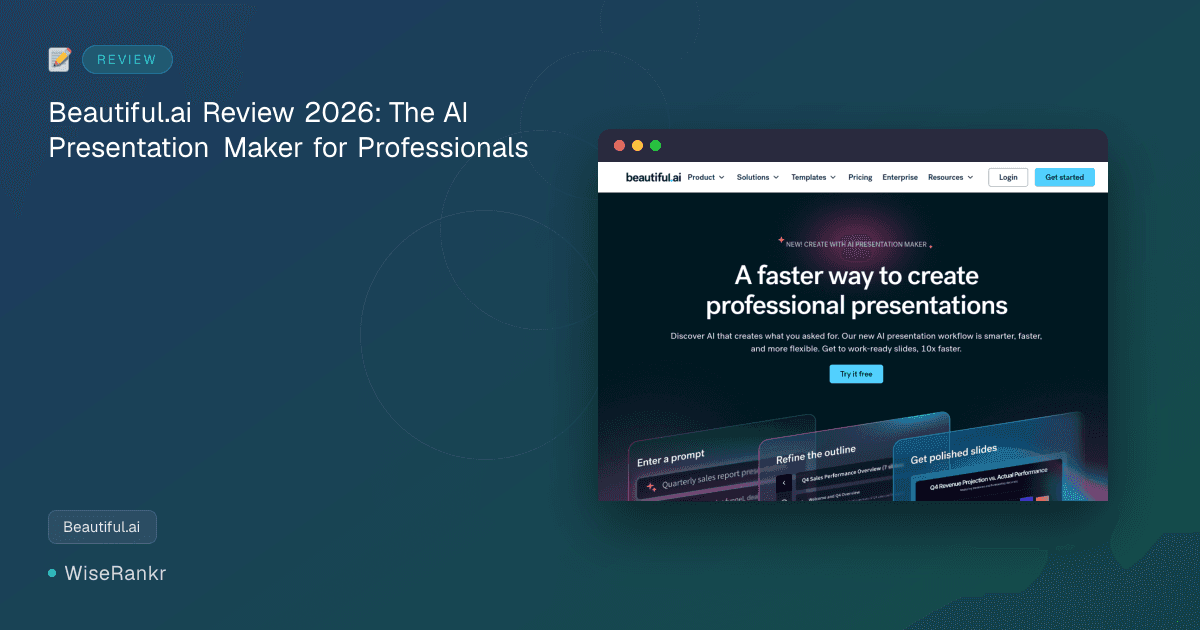

Are you tired of spending countless hours wrestling with presentation software, only to end up with a deck that looks… adequate? In 2026, the demand for professional, visually appealing presentations is higher than ever, yet the time to create them seems to shrink daily. This is where Beautiful.ai steps in, promising to revolutionize how professionals craft their most important slides. But does this AI-powered presentation maker truly deliver on its promise of "work-ready slides with fewer edits or rework"? Let's dive deep into what Beautiful.ai offers.
Beautiful.ai positions itself as the "Best AI Presentation Maker for Professional Decks," aiming to simplify the creation of high-quality, polished presentations through intelligent automation. It's designed for busy professionals across various industries who need to convey complex ideas clearly and persuasively, without requiring extensive design skills.
Beautiful.ai Overview
Beautiful.ai is a cloud-based presentation tool that leverages artificial intelligence to automate the design process. Its core innovation lies in "Smart Slides," which automatically adjust layout, spacing, and even animation as users add or remove content. This intelligent design system is intended to free users from tedious formatting, allowing them to focus on their message and storytelling.
The platform targets a broad audience, from individual professionals and consultants to marketing and sales teams, and even educators. Its focus is on making every presentation look professionally designed, even for those without a background in graphic design. The recent "Create with AI workflow" (Beautiful.ai 3.0), launched in March 2026, signifies a significant step towards more context-aware and flexible AI-driven creation, aiming to produce outputs that more closely match user intent from the first draft.
Key Features of Beautiful.ai
Beautiful.ai comes packed with features designed to streamline the presentation creation process, emphasizing automation and intelligent design. The platform aims to balance the speed of AI generation with the need for professional, brand-compliant outputs.
AI-Powered Smart Slides
The cornerstone of Beautiful.ai is its patented Smart Slides technology. These slides automatically handle design, layout, and spacing as you input content. This means you can add text, images, or data, and the slide intelligently rearranges elements to maintain a clean, professional aesthetic. Users on G2 frequently praise this feature, noting how it eliminates the need to "drag a single text box" and ensures a polished look instantly.
Create with AI Workflow (Beautiful.ai 3.0)
Introduced in March 2026, the "Create with AI Workflow" represents a significant evolution in Beautiful.ai's generative capabilities. Unlike earlier AI presentation tools that often produced generic or off-context slides, this updated workflow focuses on staying true to the user's intent and context. It offers:
- Faster, Smarter, More Flexible AI: Designed to understand prompts better and offer more relevant suggestions.
- Context-Aware Generation: Slides are intended to reflect what was actually asked for, reducing the need for extensive rework.
- Story Shaping in Stages: Allows users to guide the AI through the narrative development, providing more control over the final output.
- Instant Visual Ideation & Design Iteration: Speeds up the process of trying out different visual approaches and refining designs.
- More Options & Control: Provides users with greater flexibility in customizing AI-generated content and layouts.
Unlimited AI Content Generation
Subscribers to the Pro and Teams plans benefit from unlimited AI content generation. This includes text generation for slide content, headlines, and bullet points, helping users overcome writer's block and quickly populate their presentations with relevant information.
Custom Brand Styling
Maintaining brand consistency is crucial for professional presentations. Beautiful.ai allows users to apply custom brand styling, ensuring that all presentations adhere to company guidelines regarding colors, fonts, and logos. This feature is particularly valuable for larger organizations or teams that need to ensure uniformity across all external and internal communications.
AI Image Generation
Beyond text, Beautiful.ai also incorporates AI image generation. This allows users to create custom visuals directly within the platform, eliminating the need to search for stock photos or use external design tools. While G2 reviews suggest that AI-selected images can sometimes be "basic" or "irrelevant," the ability to generate images on demand can still be a significant time-saver.
Collaboration and Team Features (Teams Plan)
For organizations, the Teams plan extends functionality to include real-time, live collaborative editing, a centralized slide and template library, version control, and locked slides. These features are essential for ensuring team efficiency, maintaining brand consistency, and managing content across multiple users.
Beautiful.ai Pricing
Beautiful.ai offers a tiered pricing structure designed to cater to individuals and teams. It's important to note that there is no free plan, and the 14-day free trial requires a credit card. All prices listed are current for 2026.
- Pro (Individual)
- Monthly: $45/month
- Annually: $12/mo billed annually ($144/yr)
- Includes: Unlimited AI content generation, Apply your custom brand styling, AI image generation, AI writing assistance.
- Teams
- Monthly: $50/mo (per user, likely billed annually or for a minimum number of users; visit beautiful.ai for details)
- Includes: All Pro features, plus: Real-time, live collaborative editing, Centralized slide & template library, Version control & locked slides.
Students with a .edu email address are eligible for a free annual Beautiful.ai Pro subscription, which is a significant benefit for academic users.
User Reviews and Reception
Beautiful.ai has garnered a significant amount of feedback across various platforms, painting a picture of a tool with strong potential but also some notable challenges.
What Users Love (Pros)
- Ease of Use & Speed: Users on G2 and Capterra frequently highlight how quickly they can create professional-looking presentations. Quotes like "Huge time saver – like having the fastest and most effective analyst on the planet!" from a COO on Beautiful.ai's blog underscore this sentiment. Reddit discussions also acknowledge its ability to make "average presenters look good, fast."
- Professional Aesthetics: Many appreciate the polished output, with comments such as "It makes every presentation look like a professional brand expert put it together." The Smart Slides are consistently praised for automating design and ensuring visual consistency.
- Focus on Content: The automation of design allows users to "focus on core message, story, and content—not the design," as noted by McNeel Keenan, VP of Product Management at CVENT. This is a common theme in positive feedback.
- Brand Consistency: For teams, the ability to apply custom brand styling and centralize templates is a significant advantage, ensuring all presentations are on-brand.
Areas for Improvement (Cons)
- Limited Customization: A recurring criticism, particularly on Reddit, is the lack of flexibility compared to traditional tools like PowerPoint or Google Slides. Users feel constrained by fixed templates and a limited number of reusable designs, making it difficult to fully customize for specific corporate brand standards beyond basic styling.
- Billing and Cancellation Issues: Trustpilot reviews specifically show a polarized sentiment, with frequent complaints about billing practices and difficulty canceling subscriptions. Several users reported being charged for annual subscriptions after a trial, struggling to get refunds, or facing unresponsive customer service regarding these issues.
- Bugginess and Technical Glitches: Some Trustpilot users describe the tool as "super buggy," mentioning login problems across devices and glitchy features.
- Generic AI Output: While the "Create with AI workflow" aims to address this, earlier AI generation was sometimes criticized on Reddit for producing generic, low-quality content, irrelevant images, or text that required significant manual editing.
- Cost & Value Perception: For some individuals or small teams, the monthly price of $45 for the Pro plan (or even $12/month billed annually) is considered expensive, especially if they encounter the aforementioned issues. Reddit threads sometimes question the overall value proposition given the perceived limitations.
Integrations
Based on the provided data, specific third-party integrations for Beautiful.ai are not explicitly detailed. The platform focuses heavily on its internal AI capabilities and Smart Slide system for creating presentations. For information on potential integrations with other business tools, users would need to "Visit beautiful.ai for details."
Pros & Cons
Pros
- Rapid Presentation Creation: Significantly reduces the time spent on design and formatting, allowing for quick generation of professional decks.
- Automated Design with Smart Slides: The core strength, ensuring visually appealing layouts and consistent design without manual effort.
- Enhanced AI Workflow (3.0): Promises more context-aware and flexible AI generation, leading to more usable first drafts.
- Brand Consistency: Easy application of custom brand styling for consistent, on-brand presentations.
- Collaboration Features: Teams plan offers real-time editing, centralized libraries, and version control for efficient teamwork.
- Student Discount: Free annual Pro subscription for .edu email holders is a valuable offering.
Cons
- Limited Customization: Can feel restrictive for users needing granular control or highly unique designs, as Smart Slides dictate much of the layout.
- Billing & Cancellation Concerns: Negative user experiences reported on Trustpilot regarding subscription management and customer service responsiveness for billing issues.
- Potential for Bugginess: Some users report technical glitches and login problems.
- No Free Plan: Requires a credit card for the 14-day trial, which can be a barrier for some.
- AI Output Can Be Generic: While improving, earlier versions and some current user feedback suggest AI-generated content (text & images) might still require significant refinement.
- Vendor Lock-in: As a proprietary system, migrating complex designs out of Beautiful.ai might be challenging compared to standard formats.
Who Is Beautiful.ai For?
Beautiful.ai is best suited for:
- Business Professionals & Consultants: Those who need to create frequent, high-stakes presentations (client pitches, investor decks, internal reports) but lack extensive design skills or time.
- Sales & Marketing Teams: For quickly generating on-brand presentations for proposals, product launches, or campaign summaries.
- Educators & Students: Especially with the free student Pro subscription, it's ideal for academic presentations where professional visuals are desired without design hassle.
- Startups & Small Businesses: Teams needing to project a polished image without the budget for dedicated graphic designers.
- Organizations Prioritizing Brand Consistency: Companies that benefit from centralized templates and locked slides to ensure all communications adhere to brand guidelines.
It's less ideal for professional graphic designers or users who require absolute, pixel-perfect control over every design element and thrive on the flexibility of tools like Adobe Illustrator or highly customized PowerPoint templates.
Alternatives to Beautiful.ai
While Beautiful.ai excels in AI-driven design automation, several other tools offer different approaches to presentation creation:
- Microsoft PowerPoint / Google Slides: The traditional giants, offering unparalleled customization and integration with other office suites. Best for those who need maximum control and are comfortable with manual design.
- Canva: A popular choice for its vast library of templates, drag-and-drop interface, and ease of use for general design, including presentations. Offers more design flexibility than Beautiful.ai but less AI automation for layout.
- Tome: Another AI-powered presentation tool that focuses on rapid content generation and storytelling, often with a more minimalist aesthetic.
- Prezi: Known for its non-linear, zoomable canvas, offering a dynamic alternative to traditional slide-by-slide presentations.
The choice between Beautiful.ai and its alternatives largely depends on your priority: maximum design automation and speed (Beautiful.ai), ultimate design control (PowerPoint/Google Slides), or broader design capabilities with templates (Canva).
Verdict
Beautiful.ai genuinely lives up to its name in delivering visually appealing presentations with remarkable speed. Its Smart Slides technology is a game-changer for anyone who struggles with design or lacks the time to meticulously format slides. The "Create with AI workflow" (Beautiful.ai 3.0) signals a commitment to making AI generation more intelligent and user-centric, addressing some of the common criticisms of earlier AI tools.
However, the tool isn't without its caveats. The inherent trade-off for automated design is often a reduction in granular customization. While this is a feature for many, it can be a limitation for others. More critically, the recurring complaints about billing practices and customer service, as seen on Trustpilot, are significant concerns that prospective users should consider. The pricing, particularly the monthly individual plan, is on the higher side, making the annual commitment more attractive.
Ultimately, if your primary goal is to produce polished, brand-consistent presentations quickly and efficiently, and you're comfortable working within the guardrails of its intelligent design system, Beautiful.ai is an excellent choice. It’s a powerful asset for professionals who need to "look good, fast." However, if you demand absolute creative freedom, or if the reported billing issues give you pause, exploring alternatives might be prudent. For students, the free annual Pro subscription makes it an almost indispensable tool.