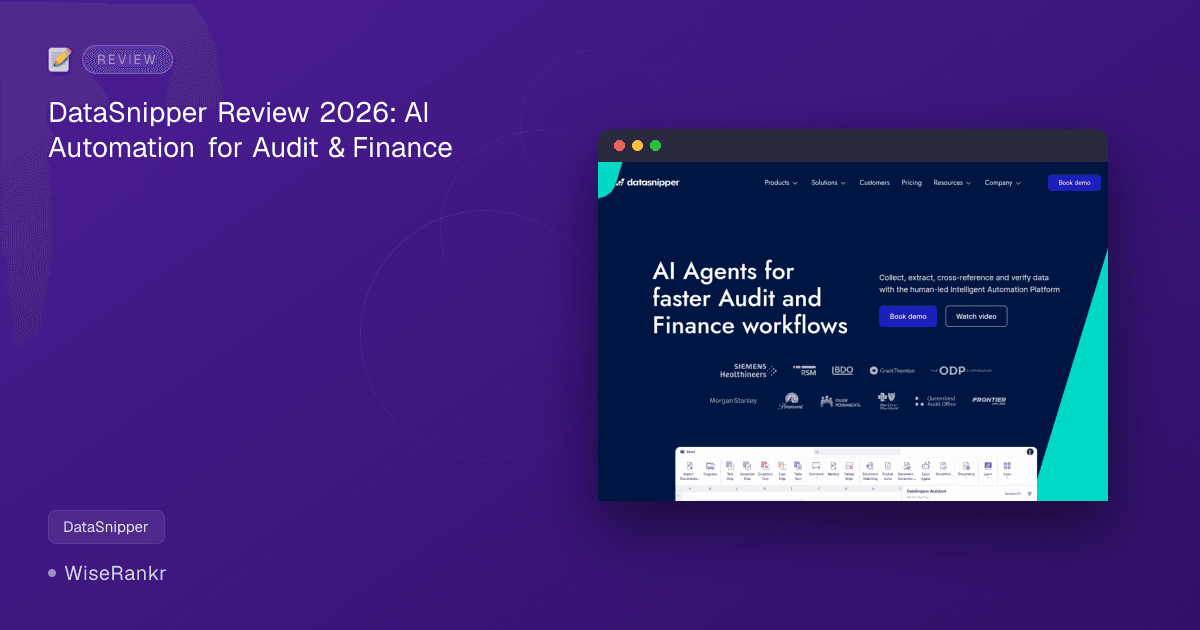

DataSnipper Review 2026: The AI-Powered Automation Platform for Audit and Finance
Are audit and finance teams still drowning in manual data extraction and reconciliation in 2026? DataSnipper aims to change that with its Intelligent Automation Platform, leveraging AI Agents to streamline workflows. But does it deliver on its promise of eliminating up to 90% of menial tasks and achieving 50% cost reduction?
This in-depth review by WiseRankr.com dives into DataSnipper's capabilities, pricing, and real-world user experiences to help you decide if it's the right tool to accelerate your audit and finance operations.
What is DataSnipper? An Overview for Audit & Finance Professionals
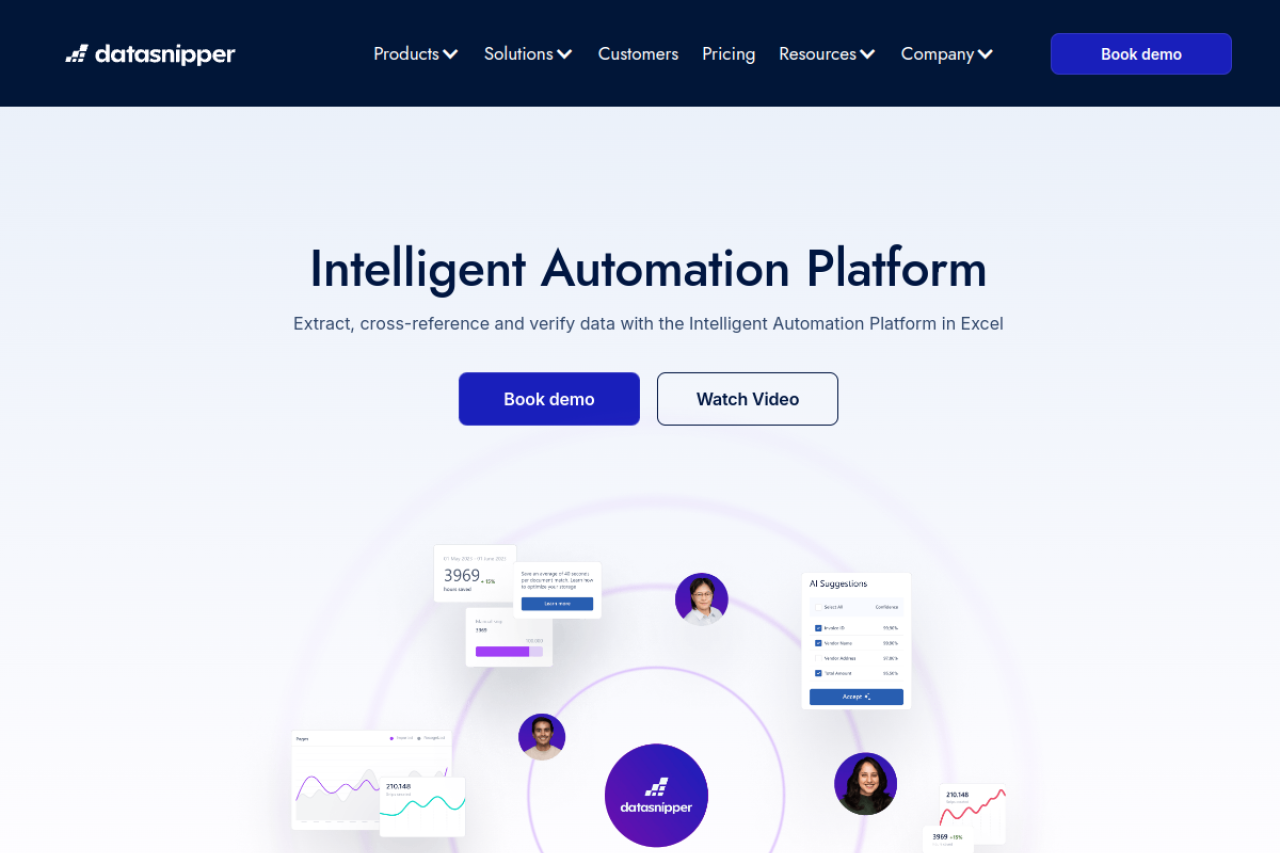
DataSnipper is an intelligent automation platform specifically designed for audit and finance teams. Operating primarily as an Excel add-in, its core function is to automate the collection, extraction, cross-referencing, and verification of data from various source documents. The platform aims to reduce manual effort, enhance accuracy, and provide full traceability for audit and financial procedures.
The company emphasizes its "human-led" approach, suggesting AI enhances rather than replaces human expertise. It's a significant player in the market, trusted by Fortune 500 companies, government agencies, global enterprises, and all Big Four auditing firms across 175 countries, having achieved a $1 billion valuation in early 2024.
Essential Features of DataSnipper: Automating Your Workflow
DataSnipper organizes its core functionalities into four key areas: Collect, Extract, Match, and Analyze. These stages are designed to cover the entire data verification workflow.
Collect: Seamless Start to Every Workflow
The "Collect" feature initiates the process by turning diverse documentation into a compliant and collaborative format within DataSnipper. This foundational step ensures all necessary evidence is gathered and ready for subsequent automation.
Extract: Smarter Way to Handle Data
This is where DataSnipper's AI truly shines. The "Extract" functionality converts hours of manual data entry into minutes by delivering structured or unstructured data that is instantly review-ready. This includes:
- Form Extraction: For structured documents like invoices or bank statements.
- Advanced Document Extraction: Handles more complex or unstructured documents.
- AI Extractions: Leverages AI for intelligent data recognition and pulling.
Match: Reconciliation at Scale
The "Match" feature automates reconciliation by linking Excel data directly to source documents. This provides full traceability, ensuring that numbers in your spreadsheets are accurately supported by the underlying evidence. This is particularly valuable for vouching and cross-referencing in audit contexts.
Analyze: Smarter Review. Deeper Insights.
DataSnipper's "Analyze" capabilities speed up the review process, enabling faster conclusions. This includes features like AI-suggested answers, automated sum checks, and comprehensive visibility for confident, controlled reviews. The platform also offers Dashboard & Reporting for managers to track adoption, control access, and measure ROI.
DataSnipper AI is presented as the core of the workflow, empowering decision-making and securely accelerating tasks with intelligent, traceable insights, while maintaining user control.
DataSnipper Pricing: Plans and Costs for 2026
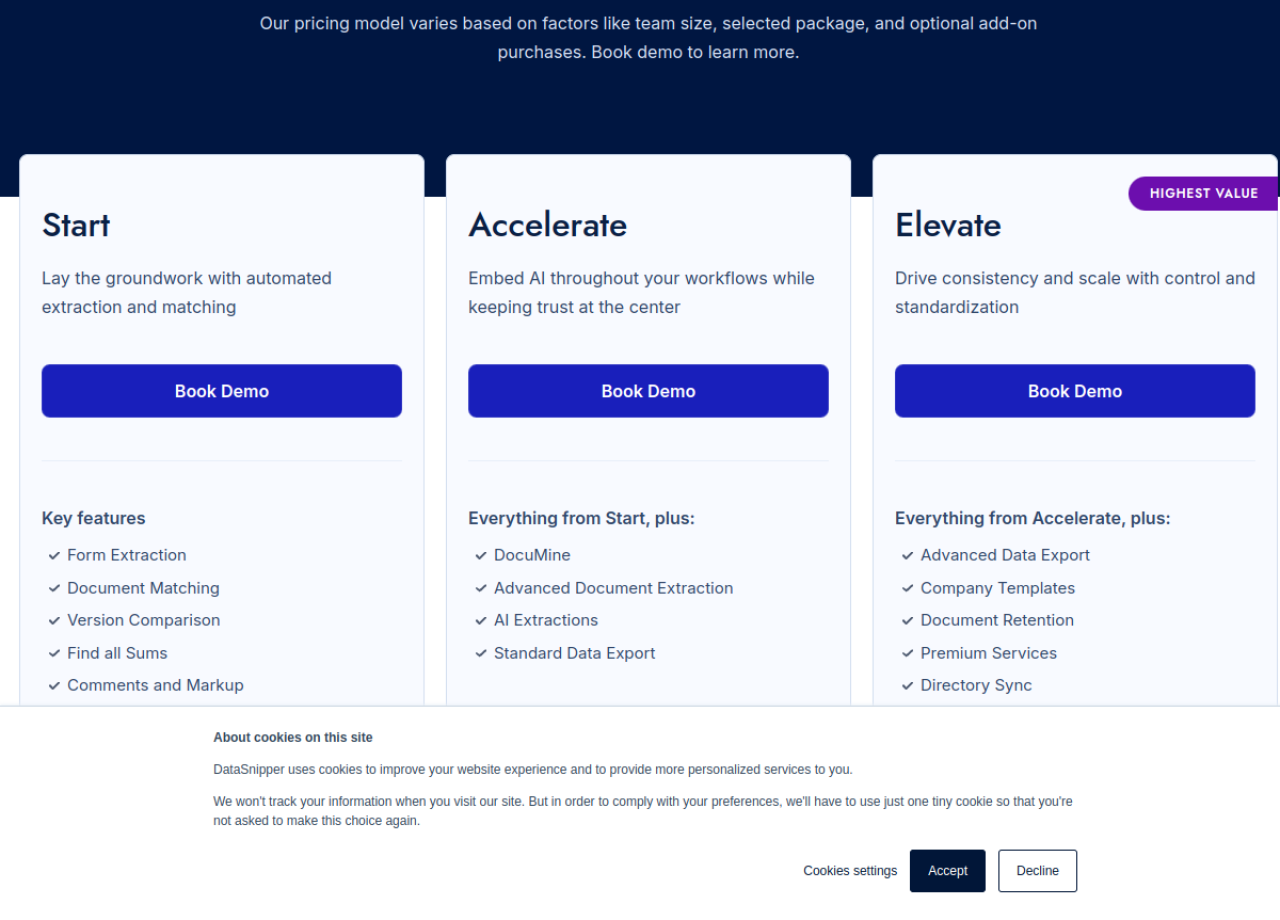
DataSnipper offers a tiered pricing model based on team size, selected package, and optional add-on purchases. While specific high-tier pricing requires a demo, the entry-level plan provides a clear starting point. All prices below are per user/month.
It's important to note that the company offers savings for annual billing, typically around 18%.
1. Start Plan
- Price: $49/mo (billed annually)
- Key Features: Form Extraction, Document Matching, Version Comparison, Find all Sums, Comments and Markup, Advanced Document Management, Single Sign On (SSO), Customer Success Guidance.
- Best For: Small audit teams looking to automate fundamental document-heavy tasks within Excel.
2. Accelerate Plan
- Price: $59/mo (billed annually)
- Includes everything from Start, plus: DocuMine, Advanced Document Extraction, AI Extractions, Standard Data Export.
- Best For: Mid-sized firms needing enhanced audit automation with AI-powered document analysis and summarization.
3. Elevate Plan
- Pricing: Requires a Book Demo for a custom quote.
- Includes everything from Accelerate, plus: Advanced Data Export, Company Templates, Document Retention, Premium Services, Directory Sync, External Guest Access.
- Best For: Enterprise-level organizations requiring advanced controls, standardization, and scalability across large teams.
Add-on Module: Financial Statement Suite
DataSnipper also offers an optional add-on: the Financial Statement Suite. This module automatically analyzes, performs, and documents financial statement procedures, aiming to improve standardization and quality. Pricing for this module is not publicly listed and would require a demo.
User Reviews & Sentiment: What Audit Professionals Say
DataSnipper enjoys strong positive sentiment across major review platforms, indicating high user satisfaction, particularly regarding its ease of use and efficiency gains.
Capterra Reviews (4.7/5 stars, 129 reviews)
Users on Capterra frequently highlight the software's ease of use and implementation. Christopher B., a Director, states, "The way that the software helps our audit teams speed up testing and vouching to external documents is amazing." Edwin M., an Auditor, praises the "data import and extraction from various documents" and calls "data matching and casting of financial statements a game changer in auditing." Celina M., an Accountant, notes, "With DataSnipper, auditing and handling business accounting needs has been easy."
G2 Reviews (4.8/5 stars, 219 reviews)
G2 users echo the sentiment around ease of use, with 28 mentions praising its simplicity and speed for auditing tasks. Document management is another strong point, with 13 mentions noting its efficiency in reducing manual effort. The most common praises revolve around efficiency and time-saving, with users reporting significant reductions in time spent on audit procedures.
However, G2 reviews also point out some recurring challenges:
- Slow Loading: Five users reported issues with slow loading times, especially when dealing with multiple uploads or scanned documents.
- Bugs/Formatting Issues: Three users mentioned encountering bugs during document extraction, leading to formatting problems or unintended functions in Excel.
- Lack of Advanced Features: Some users felt the tool could benefit from more advanced features to fully utilize its potential for complex tasks (3 mentions).
- Usability for Corrections/Large Spreadsheets: Three users found difficulties in correcting "snips" and managing very large spreadsheets effectively.
Reddit User Opinions
No direct Reddit user opinions or discussions specifically about DataSnipper were found in the provided data.
Integrations & Ecosystem
DataSnipper primarily functions as an add-in for Microsoft Excel, making it highly integrated into the daily workflow of most audit and finance professionals. Its operation within Excel means it leverages an environment already familiar to its target users. While the data doesn't explicitly list integrations with other specific accounting software or ERPs, its ability to extract data from various document types (PDFs, images, etc.) implies broad compatibility indirectly.
The "Standard Data Export" and "Advanced Data Export" features in higher-tier plans suggest capabilities to move processed data to other systems, though the specifics are not detailed. Visit DataSnipper.com for details on specific integration partners.
Pros and Cons of DataSnipper
Pros
- Significant Time Savings: Users consistently report dramatically reduced time spent on data extraction, matching, and reconciliation, with claims of eliminating 90% of menial tasks.
- High Accuracy: Automation reduces human error in data transcription and cross-referencing.
- Ease of Use: Many users find the platform intuitive and easy to implement, speeding up adoption.
- Excel Integration: Operating as an Excel add-in fits seamlessly into existing audit and finance workflows.
- Enhanced Traceability: Links Excel data directly to source documents, improving audit trails and compliance.
- Scalability: Caters to a wide range of organizations, from small teams to Big Four firms and Fortune 500 companies.
- Strong AI Capabilities: AI Agents and features like DocuMine and AI Extractions provide intelligent automation.
Cons
- Potential for Slow Loading: Some users report performance issues, especially with numerous or large scanned documents.
- Occasional Bugs/Formatting Issues: While generally robust, minor bugs during extraction or formatting inconsistencies can occur.
- Learning Curve for Advanced Features: While basic use is easy, mastering advanced features or troubleshooting extraction issues might require some effort.
- Limited Public Pricing Transparency: Pricing for higher tiers and add-ons requires direct engagement, which can be a barrier for initial evaluation.
- Dependency on Excel: While a pro for many, organizations moving away from Excel-centric workflows might find this limiting.
- "Lack of Advanced Features": Some users desire more complex functionalities beyond the current offerings, though this is subjective.
Who Is DataSnipper For?
DataSnipper is purpose-built for audit and finance professionals across various sectors. Its ideal users include:
- External Auditors: Firms looking to accelerate vouching, reconciliation, and evidence gathering.
- Internal Auditors: Teams aiming to improve efficiency and accuracy in internal controls testing.
- Tax Professionals: For verifying financial data related to tax computations and compliance.
- Financial Controllers: For streamlining financial reporting and reconciliation processes.
- Government Audit Agencies: Organizations needing robust, traceable data verification for public sector audits.
- Advisory Firms: Consultants providing services that involve extensive financial data analysis.
- Any Organization with High-Volume Document Processing: Especially those heavily reliant on Microsoft Excel for financial tasks.
It's particularly suited for organizations that prioritize efficiency, accuracy, and traceability in their data handling, and are comfortable operating within the Excel ecosystem.
Alternatives to DataSnipper
While DataSnipper offers a specialized Excel-centric approach, several other tools address similar needs in financial data automation and audit:
- MindBridge: Focuses heavily on AI-powered anomaly detection and risk assessment for financial data. It offers a broader analytical scope beyond just document extraction.
- Auditor Assistant (e.g., from CaseWare): Often part of a larger audit management suite, these tools provide various functionalities, sometimes including document linking and automation, but may not be as specialized in AI-driven extraction.
- KlearStack: An AI-powered intelligent document processing (IDP) solution that can extract data from various unstructured documents, applicable across industries, including finance.
- UiPath/Automation Anywhere: Robotic Process Automation (RPA) tools that can be configured to automate data extraction and reconciliation tasks, offering broader automation capabilities across multiple applications, not just Excel.
- Manual Processes + OCR Software: For smaller teams or those on a tighter budget, a combination of standard OCR software for text recognition and manual Excel work remains an alternative, though far less efficient.
When considering alternatives, evaluate whether your primary need is specialized document automation within Excel (DataSnipper) or broader AI-driven analytics, general RPA, or a full audit management suite.
The WiseRankr Verdict on DataSnipper
DataSnipper stands out as a powerful and highly effective tool for audit and finance professionals seeking to automate tedious data extraction, matching, and verification tasks. Its deep integration with Excel, coupled with advanced AI capabilities, makes it a compelling solution for improving efficiency and accuracy.
The overwhelmingly positive user reviews regarding ease of use and significant time savings are strong indicators of its value proposition. While some users report minor performance glitches or a desire for more advanced features, these seem to be outweighed by the overall benefits. The recent introduction of AI Agents and its rapid growth to a $1 billion valuation underscore its innovation and market impact.
For any audit or finance team looking to modernize their workflow and reduce manual effort, DataSnipper is a strong contender. The pricing model, while requiring a demo for higher tiers, offers an accessible entry point with the Start plan. We recommend DataSnipper, especially for organizations deeply entrenched in Excel-based financial processes.